
W-9 Form 2026: Download PDF, Printable Copy & Complete Filing Guide
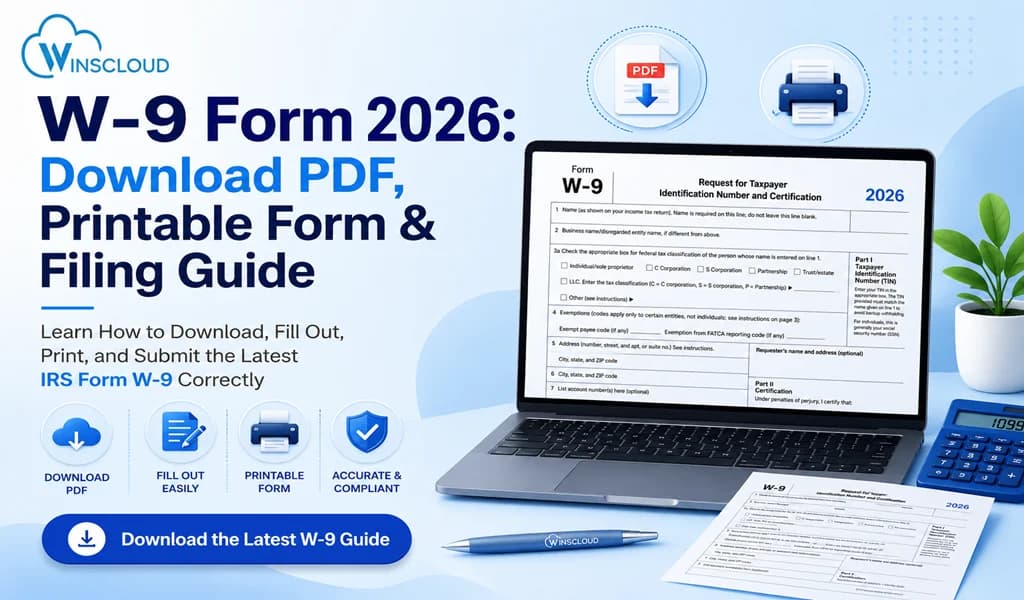
If you’re an independent contractor, freelancer, consultant, small business owner, or vendor, chances are you’ll be asked to complete a W-9 Form 2026 before receiving payment. The IRS uses this form to collect your taxpayer identification information for reporting payments made during the tax year.
In this guide, you’ll learn:
- What the W-9 Form 2026 is
- Who needs to fill it out
- Where to download the W-9 Form 2026 PDF
- How to complete it correctly
- Common mistakes to avoid
- Frequently asked questions
Whether you’re filling out your first W-9 or updating your information, this guide covers everything you need to know.
What is the W-9 Form 2026?
Form W-9 2026 is officially titled “Request for Taxpayer Identification Number and Certification”. The W-9 Form 2026 is an IRS tax document used by businesses to collect a contractor’s taxpayer identification number (TIN), tax classification, and certification. It is not filed with the IRS but is used to prepare tax reporting forms such as Form 1099-NEC.
Businesses request this form when they need your taxpayer information for reporting payments on forms such as:
- Form 1099-NEC
- Form 1099-MISC
- Form 1099-K (in applicable situations)
- Certain financial reporting requirements
Also Read: Trump Tax Cuts Refunds 2026
Who Needs to Complete a W-9 Form 2026?
Most companies request a completed W-9 before issuing your first payment.
You may need to complete a W-9 if you are:
- Freelancers
- Independent contractors
- Consultants
- Sole proprietors
- LLC owners
- Partnerships
- Corporations (in certain situations)
- Landlords receiving reportable payments
- Vendors working with businesses
Who Requests Form W-9?
They use the information to prepare year-end tax forms if required.
Businesses commonly request a W-9 from:
- Independent contractors
- Graphic designers
- Writers
- Marketing agencies
- Accountants
- Software developers
- IT consultants
- Legal professionals
- Vendors
- Service providers
W-9 Form 2026 PDF Download
Many taxpayers search for the W-9 Form 2026 PDF before starting contract work. To ensure you’re using the most recent version, always download the form directly from the official IRS website rather than third-party sources.
A blank PDF version allows you to:
- Fill it digitally
- Print and sign
- Save a copy for future use
- Email securely when requested
W-9 Form 2026 Printable Copy
Always print clearly and use black ink if completing it manually.
Need a paper version? A W-9 Form 2026 printable copy is useful if:
- Your client requests a signed hard copy
- You prefer handwritten forms
- You don’t use PDF editing software
- You need multiple copies for different clients
How to Fill Out W-9 Form 2026
Complete the form carefully to avoid payment delays or IRS reporting issues.
Step 1: Enter Your Name
Write your legal name exactly as shown on your tax return.
Step 2: Business Name
If you operate under a DBA or business name, enter it here. Otherwise, leave this section blank.
Step 3: Select Federal Tax Classification
Choose the option that applies to you:
- Individual/Sole Proprietor
- Single-Member LLC
- C Corporation
- S Corporation
- Partnership
- Trust/Estate
- Other
Selecting the correct classification is important for tax reporting.
Step 4: Exemption Codes (If Applicable)
Most individuals leave this section blank.
Only certain organizations qualify for exemption codes.
Step 5: Enter Your Address
Include:
- Street address
- City
- State
- ZIP Code
This is where tax documents may be mailed.
Step 6: Taxpayer Identification Number (TIN)
Use the number associated with your tax filing.
Provide either:
- Social Security Number (SSN), or
- Employer Identification Number (EIN)
Step 7: Certification
Read the certification carefully. Sign and date the form to confirm the information is accurate.
Common Mistakes to Avoid
Many payment delays occur because of simple errors.
Avoid these mistakes:
- Using an incorrect TIN
- Forgetting to sign the form
- Choosing the wrong tax classification
- Using an outdated address
- Leaving required fields blank
- Sending the form to the IRS instead of the requester
Is the W-9 Submitted to the IRS?
No. The completed W-9 stays with the business requesting it. The IRS generally does not receive your W-9 unless specifically requested during an audit or compliance review.
Also Read: QuickBooks Internet Connection Error Read Error
What Information Is Included on a W-9?
A completed W-9 typically contains:
| Information | Required |
| Legal Name | ✅ |
| Business Name | Optional |
| Tax Classification | ✅ |
| Address | ✅ |
| SSN or EIN | ✅ |
| Certification | ✅ |
| Signature | ✅ |
When Should You Update Your W-9?
Providing updated information helps prevent reporting errors.
Submit an updated form whenever:
- Your legal name changes
- Your business name changes
- Your address changes
- You obtain an EIN
- Your tax classification changes
- Your TIN changes
W-9 vs W-4 vs W-8: What’s the Difference?
Understanding which form applies to your situation can help avoid filing mistakes.
| Form | Purpose | Used By |
| W-9 | Provides taxpayer identification | Independent contractors and vendors |
| W-4 | Employee withholding certificate | Employees |
| W-8 Series | Certifies foreign status | Non-U.S. individuals and entities |
Best Practices for Keeping Your W-9 Secure
Since the form contains sensitive personal information:
- Share it only with trusted businesses.
- Use encrypted email or secure portals when possible.
- Keep copies for your records.
- Verify requests before sending your information.
- Avoid sending your SSN through unsecured channels.
Final Thoughts
The W-9 Form 2026 remains an essential tax document for freelancers, contractors, vendors, and businesses. Completing the form accurately ensures proper IRS reporting, helps prevent backup withholding, and minimizes payment delays.
Always download the latest version from the IRS, verify your taxpayer information, and keep an updated copy available for clients who request it.
Frequently Asked Questions
Is there a new W9 form in 2026?
The IRS periodically updates Form W-9. Before completing the form, check the official IRS website to confirm you’re using the latest revision available for 2026.
Where can I get a blank W9 form in 2026?
You can download a blank W-9 form directly from the official IRS website in PDF format. Businesses may also provide a copy for you to complete.
How to fill out W9 form 2026?
Complete the form by entering your legal name, business name (if applicable), tax classification, address, SSN or EIN, then sign and date the certification section before returning it to the requester.
Can I download a W-9 form?
Yes. The IRS provides a free downloadable PDF version of Form W-9 that you can fill out electronically or print and complete by hand.
What is the W9 limit for 2026?
There is no income limit for completing a W-9. Businesses may request a W-9 regardless of the payment amount. However, IRS reporting requirements for issuing information returns (such as Form 1099-NEC) depend on applicable reporting thresholds and payment types.