
99.99% Uptime Guarantee
A 99.99% network uptime guarantee, ensuring that you can always rely on your QuickBooks.
Secure cloud hosting for scalable, and anytime access to your QuickBooks for seamless business accounting
 Intuit Authorized QSP
 99.9% Uptime Guaranteed
 24*7 Network Security
 Anytime Anywhere Access
Trusted by


You Deserve Efficient Tech Solutions to Enhanced Productivity
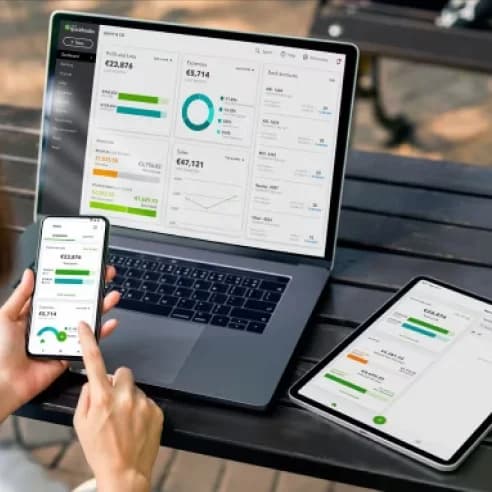
QuickBooks Cloud Hosting allows you to run your QuickBooks software on a secure cloud server, ensuring all your files and accounting data are safely stored and managed. With QuickBooks Hosting, you can access your remote desktop anytime, anywhere, and work on QuickBooks just as if it were installed locally. Whether you use QuickBooks Pro, Premier, or need QuickBooks Enterprise Cloud Hosting, you can collaborate effortlessly with your team, improve productivity, and keep your business moving without limits.


Winscloud Matrix provides QuickBooks hosting services for your organization’s preferred accounting and tax software version. We’ve got you covered from QuickBooks Pro, QB Premier and QuickBooks Enterprise to POS and QuickBooks Accountant no matter whether you are using US, Canada and UK editions. Also Winscloud Matrix is a cloud hosting provider offering secure QuickBooks, Sage 50 Hosting, Drake Cloud Hosting, ProSeries Hosting, Lacerte Tax Hosting and tax software hosting with remote access.
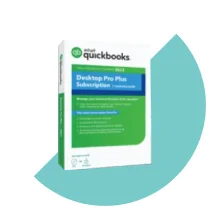
QuickBooks Pro Cloud Hosting allows you to run QuickBooks Pro on secure remote servers, giving you anytime, anywhere access and ideal for QuickBooks Hosting for CPA Firms and small businesses.
Read More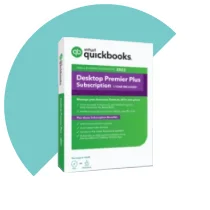
QuickBooks Premier with Hosting lets you access QuickBooks Premier on the cloud, enabling secure remote access and multi-user collaboration. QuickBooks Hosting for Accountants It's ideal for Small to mid-sized businesses with industry-specific accounting needs.
Read More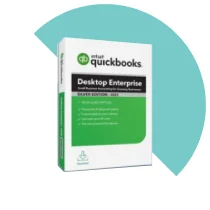
QuickBooks Enterprise with Hosting lets you access QuickBooks Enterprise Hosting on the cloud with secure remote access and seamless multi-user collaboration. It's ideal for large businesses with complex accounting needs.
Read More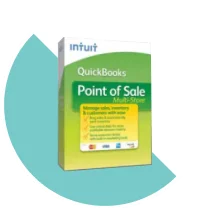
Hosted POS solutions offer maximum freedom and flexibility to help organize your retail business. Remotely access your preferred QuickBooks Software with QuickBooks Hosting, whether you use QuickBooks Pro, QuickBooks Premier, or QuickBooks Hosting for Bookkeepers, anytime and anywhere.
Read MoreQuickBooks Accountant Hosting lets accounting professionals access QuickBooks on the cloud, manage multiple clients, and collaborate securely from anytime anywhere. QuickBooks Hosting for Accountants allows businesses, accountants, and financial professionals to securely access their QuickBooks Desktop applications from anywhere.
Read MoreQuickBooks Add-ons Hosting enables seamless integration of essential third-party tools with your hosted QuickBooks Cloud Hosting environment, enhancing functionality and workflow efficiency. It ensures secure, high-performance access to add-ons such as payroll, reporting, inventory, and CRM from anywhere.
Read MoreGet a free demo and see how QuickBooks Cloud Hosting with Winscloud Matrix keeps your team productive from any device.
More Reasons for You to Make the Decision.
A 99.99% network uptime guarantee, ensuring that you can always rely on your QuickBooks.

Our team of technical experts is available 24/7 to help you with any issues or queries you may have.

Such as encryption, firewalls, and multi-factor authentication, will keep your business's important information safe.

This opens PDFs and works with Word and Excel files. You have access to it from every device, at every moment, whether you're in the office, operating from home, or just on the go.

You can get to it from anywhere, at any time, on any device, whether you're at work, working from home, or while travelling.

The servers’ resources, such as the fastest available SSD NVMe disks, high-speed bandwidth, and powerful CPUs, are introduced to deliver lightning-fast performance and seamless multitasking.
We support all kinds of industry-standard compliances, including PCI, SSL, HIPAA, DDoS protection, and SOC 1 & SOC 2. In case you require the reports for compliance purposes, we can provide them to you at any time without an extra charge.
Tailor your hosting environment to meet specific business needs. You can add as much storage or RAM as you require. The Pricing for custom configurations may vary based on requirements.


QuickBooks hosting lets you access your QuickBooks software from a cloud server, where all your data and files are safely stored and managed. With a unique username and password, you can log in to your remote desktop from anywhere for QuickBooks Hosting for Accountants, access your data, and use the software just like you would from a local desktop.
QuickBooks Online is also Available for QuickBooks Hosting for CPA Firms, on the other hand, is a cloud-based product created and managed solely by Intuit, the maker of QuickBooks. This software is accessed by logging in using a web browser and only supports QuickBooks Online, meaning QuickBooks Pro, QuickBooks Premier and QuickBooks Enterprise Hosting are not compatible. This cloud-based version also offers a different user experience and features than what you may be used to in the desktop version.
See a brief overview of the main differences in QuickBooks Hosting vs QuickBooks Online
We can also integrate more than 500 QuickBooks Add-ons with virtually any related accounting applications you need to help your business. Supercharge your favorite QuickBooks Hosting for Accountants software by integrating over 500 QuickBooks add-ons on the same secure cloud server. Thousands of CPAs, accountants, and small businesses leverage these powerful tools to enhance their productivity, streamline workflows, and gain a competitive edge.
Make tax preparation more efficient with Drake Tax Hosting. Our cloud-based hosting solution allows tax professionals and accounting firms to access Drake Tax Software remotely while supporting secure data access, team collaboration, backups, and flexible workflows from different locations.
View DetailsLacerte Hosting provides tax professionals and accounting firms with secure remote access to their Lacerte tax software. With a hosted cloud environment, teams can collaborate more efficiently, access tax applications from supported devices, and manage their tax preparation workflow without depending on a local office server.
View DetailsWith UltraTax Hosting, tax professionals can access their UltraTax software remotely through a secure cloud environment. It helps accounting firms improve collaboration, provide flexible access to tax applications, and manage tax preparation workflows across multiple locations and supported devices.
View DetailsSage Hosting provides businesses and accounting professionals with remote access to their Sage applications through a secure cloud environment. Whether you use Sage 50 Hosting, Sage 100 Hosting, Sage 300, or Sage 500, hosted Sage solutions can support remote collaboration, centralized access, data backups, and flexible accounting workflows.
View DetailsProSeries Hosting helps tax professionals and accounting firms access their ProSeries tax software remotely through a secure cloud environment. It provides flexible access to tax preparation applications while supporting collaboration, data security, backups, and efficient tax workflows from different locations.
View DetailsATX Hosting provides tax professionals and accounting firms with secure remote access to ATX Tax Software Hosting. A hosted cloud environment can help teams improve collaboration, access tax applications from different locations, and manage tax preparation workflows while benefiting from managed infrastructure, backups, and technical support.
View Details
Choosing the correct cloud hosting plan is the first thing you need to do to have a good experience with your remote server. Every business has its unique need so we'll assist you in selecting the plan that keeps your business running flawlessly, securely, and ready for the future.

We need QuickBooks to license information to set up your QuickBooks in the cloud. This helps us set up your remote server quickly and keep your data safe.

Once we’ve received your requirements and details, our staff handles the whole cloud setup process for your remote server. We put our best effort into speed, security, and easy access so you can get started right away.


Satisfied Clients

Years of Experience

Apps Hosted

Add-ons Supported
From 24/7 support that acts as your extended team to incredibly fast website performance
From 24/7 support that acts as your extended team to incredibly fast website performance
QuickBooks hosting, also known as QuickBooks cloud hosting or hosted QuickBooks, is when licensed copies of Intuit QuickBooks Desktop products are installed on cloud servers. These servers are accessible by users via a remote desktop. QuickBooks cloud hosting providers allow authorized PC and Mac users to safely access their accounting software from anywhere with an internet connection.
Yes. While QuickBooks Desktop products were originally installed on a local machine, third-party QuickBooks hosting companies like Winscloud allow you to install QuickBooks on a cloud server that you can access from anywhere with the internet, at any time.
Yes. You may need to purchase additional users for your QuickBooks product, but once you have the number of users you need you can use the multi-user mode in QuickBooks. The multi-user mode allows multiple people to use your QuickBooks application at the same time through your server network. If you are not using QuickBooks cloud hosting, you may also need to install QuickBooks Desktop on multiple local machines.
To move QuickBooks to the cloud, you need to choose a QuickBooks cloud hosting provider and work with their migration process. At Winscloud, our process is designed to reduce work and stress for your team. To move QuickBooks to the cloud, you work with our technical team to determine the best way to set up your server and identify the files you need to transfer. We’ll do all the heavy lifting, setting up your server and migrating your files in less than 48 hours.
It typically costs between $25 and $75 per month to host QuickBooks. Lower cost QuickBooks hosting services typically use shared servers, while higher prices come with additional features, such as 2-Factor Authentication. At Winscloud, our QuickBooks cloud hosting service starts at just $25 per month, including dedicated servers and additional security options.
Yes, it will! QuickBooks in the cloud works exactly like the traditional QuickBooks Desktop version, so you don’t have to worry about learning a new software or developing a new workflow. Winscloud QuickBooks hosting service works on Macs, PCs and any other device you may use. As long as you’re online, you can access your data. If you’re using an IOS device, all you need to do is download the Microsoft Remote Desktop Application from the Apple App Store.
QuickBooks Pro is most suitable for small businesses as it caters to key accounting needs. For businesses that have some specialized needs, QuickBooks Premier is a more suitable solution. QuickBooks Enterprise Hosting Provider is designed to handle more complex business operations for large firms.
QuickBooks Pro is most suitable for small businesses as it caters to key accounting needs. For businesses that have some specialized needs, QuickBooks Premier is a more suitable solution. QuickBooks Enterprise Cloud Hosting is designed to handle more complex business operations for large firms.
To ensure complete flexibility and enhanced productivity, QuickBooks hosting services are compatible with and support all operating systems, including Windows, Linux and Mac.
Try Winscloud Matrix Risk-Free: Get Your Free Demo Today and Enjoy Affordable Cloud Hosting Backed by 24/7 Expert Support and a 100% Money-Back Promise.