TaxWise Cloud Hosting: Features, Pricing & Setup Guide for Tax Professionals
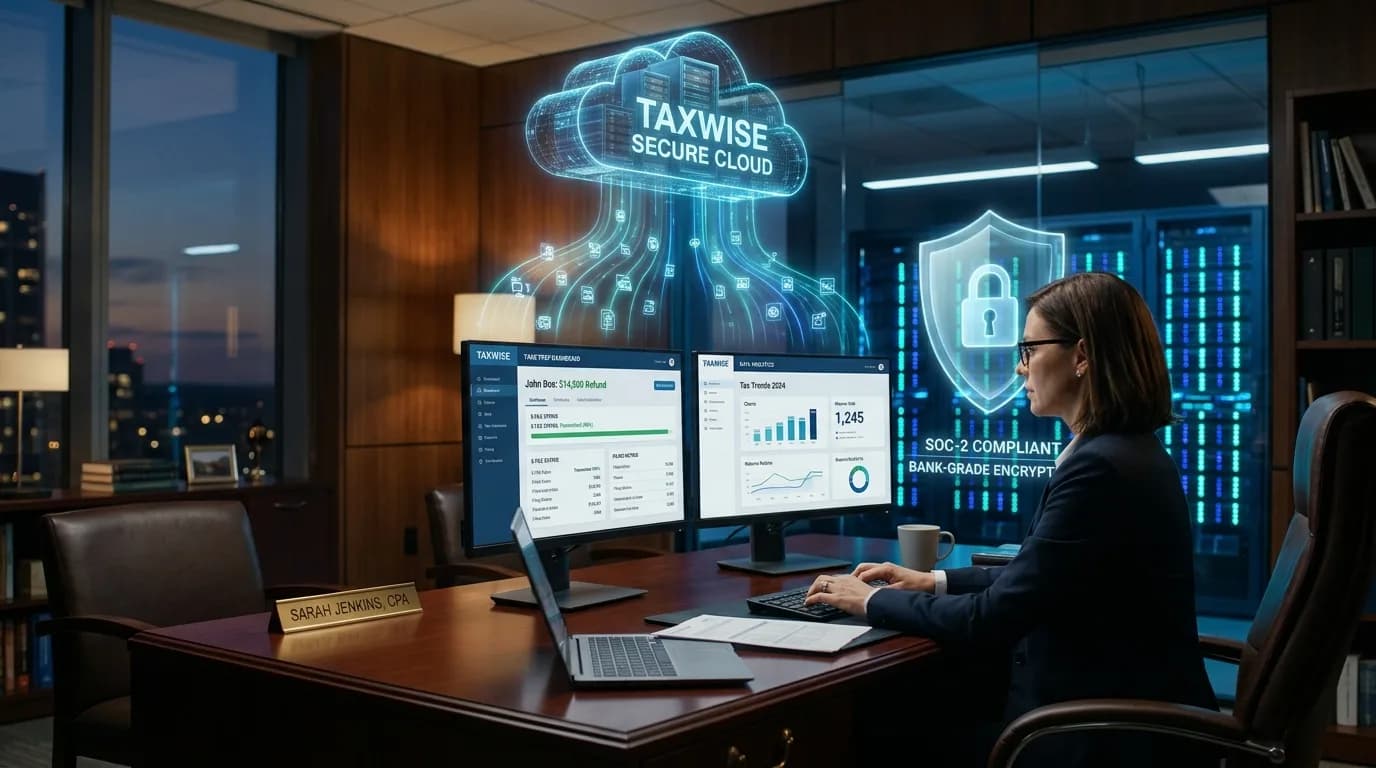
During the height of tax season, high-volume tax offices and Electronic Return Originators (EROs) cannot afford a single minute of downtime. Preparing hundreds of complex individual and corporate returns requires fast processing, real-time collaboration among preparers, and seamless integration with IRS e-file servers and bank settlement products.
However, running Wolters Kluwer TaxWise Desktop on local office computers frequently creates operational bottlenecks. Local networks buckle under simultaneous multi-user logins, off-site staff struggle with sluggish VPNs, and physical workstations remain vulnerable to hardware crashes, ransomware, and strict federal compliance audits.
To eliminate these barriers, forward-thinking accounting firms and tax preparation bureaus are turning to TaxWise Cloud Hosting. By moving the full-featured desktop software to a high-performance cloud environment, tax practitioners achieve true anywhere access, multi-user concurrency, and enterprise-grade data security—without sacrificing the familiar desktop interface they rely on daily.
In this comprehensive guide, we break down what TaxWise cloud hosting is, how it compares to web-based alternatives, essential features to evaluate, realistic pricing models, IRS security compliance standards, and a step-by-step migration guide for your office.
What Is TaxWise Cloud Hosting?
TaxWise Cloud Hosting involves deploying your licensed Wolters Kluwer TaxWise Desktop application on dedicated, high-speed remote cloud servers rather than on an in-house desktop tower or local office server.
Through an optimized Remote Desktop Protocol (RDP) or secure browser-based portal, preparers, reviewers, and administrative staff log into their private virtual office from anywhere—using Windows laptops, MacBooks, iPads, or desktop PCs.
Once logged in, the user experience is identical to running TaxWise locally:
- Full Desktop Fidelity: Complete access to the TaxWise interface, forms library, and calculation engine.
- Bank Product Integration: Instant integration with bank products (such as Santa Barbara TPG, EPS, or Refund Advantage).
- Centralized E-Filing: Native support for the TaxWise E-File Manager and central client database.
- Document Management: Direct connectivity with complementary applications like Microsoft Excel, document scanners, and PDF printers.
Instead of managing physical hardware updates, manual data backups, and network security patches, your firm leverages the infrastructure of a specialized cloud hosting provider, allowing your team to focus exclusively on client filings and practice revenue.
Tired of TaxWise Multi-User Freezing and Sluggish Remote Access?
Switch your tax practice to Winscloud Matrix dedicated high-speed cloud servers. Enjoy real-time multi-user collaboration, automated daily offsite backups, and 24/7 direct US phone support.
Start Your 15-Day Free Trial
Direct Phone: +1 (714) 882-1244
TaxWise Desktop vs. Native TaxWise Online vs. Dedicated Cloud Hosting
Many tax professionals wonder whether they should use Wolters Kluwer’s browser-based TaxWise Online (TWO) or host their desktop software in a private cloud. While TaxWise Online works well for sole proprietors with simple 1040 filings, high-volume offices with complex business returns and seasonal teams require the horsepower of desktop hosting.
| Feature / Capability | Local Desktop Installation | Native TaxWise Online (TWO) | Hosted TaxWise Desktop (Cloud) |
|---|---|---|---|
| Accessibility | Restricted to the physical office PC | Any web browser | Anywhere via secure RDP (PC, Mac, Tablet) |
| Multi-User Performance | Prone to local network latency & crashes | Dependent on web app limits | Dedicated RAM & CPU scaling per user |
| Comprehensive Forms Library | Complete (1040, 1120, 1120S, 1065, 1041, 706, 990) | Streamlined (primarily individual 1040s) | Complete full-featured desktop library |
| Multi-Monitor & Scanner Support | Local only | Limited peripheral support | Seamless local scanning & multi-screen pass-through |
| Data Backup & Redundancy | Manual external drives (high risk) | Cloud backup managed by vendor | Automated daily snapshots & 30-day offsite retention |
| Third-Party App Integrations | Restricted to local machine | Very limited | Run alongside QuickBooks, Excel, & document tools |
| IRS & FTC Compliance | Firm bears 100% of physical liability | Shared SaaS compliance | Enterprise firewalls, MFA, & SOC-audited data centers |
For growing multi-preparer firms, hosting the desktop version provides the best of both worlds: the complete form inventory and keyboard-shortcut speed of TaxWise Desktop, combined with the flexibility and security of modern cloud architecture.
Core Features of TaxWise Cloud Hosting for Modern Tax Offices
Migrating your tax software to a managed cloud environment unlocks several high-impact operational advantages:
1. Seamless Multi-User Concurrency Without Latency
In a traditional peer-to-peer office setup, when multiple preparers open large returns or run batch e-file transmissions simultaneously, local computers slow to a crawl or corrupt the database index. With dedicated TaxWise Hosting, each team member is allocated dedicated virtual CPU and RAM resources. Whether you have 3 preparers or 30 seasonal contractors working at the same time, return calculations update in real time with zero screen lag.
2. High-Speed E-Filing and Bank Product Processing
High-volume tax offices generate a significant portion of their revenue through bank settlement products, advances, and rapid e-file acceptance. Hosted servers run on multi-gigabit enterprise fiber networks, ensuring rapid data transmission to IRS MeF servers and financial partner APIs without connection dropouts during peak filing windows.
3. Cross-Platform Flexibility (Windows & macOS)
Historically, TaxWise Desktop has required native Windows operating systems, forcing Mac users to maintain clunky Boot Camp partitions or separate office laptops. Cloud hosting virtualizes the entire desktop environment. Your preparers can log into their Windows TaxWise workspace from any macOS device, Chromebook, or home computer with complete fidelity.
4. Effortless Peripheral Redirection (Printers & Scanners)
Tax preparation demands physical and digital document handling. High-grade cloud hosting solutions provide built-in universal print drivers and TWAIN/WIA scanner redirection. When you click “Print” inside your hosted TaxWise return, the document immediately routes to your local office laser printer, check printer, or local PDF vault.
5. Multi-Application Workstation
Tax preparation rarely happens in a vacuum. Preparers frequently need to cross-reference client trial balances, depreciation schedules, and payroll records. In a hosted environment, you can integrate your tax workspace with QuickBooks Hosting, Microsoft 365, and specialized accounting software on the exact same cloud desktop, streamlining your entire workflow.
Meeting IRS Security Standards & FTC Safeguards Rule Compliance
Data security is no longer an optional IT preference—it is a strict legal requirement enforced by federal authorities. Tax professionals handle the most sensitive data in America, including Social Security numbers, bank routing information, and confidential business financials.
Under the Federal Trade Commission (FTC) Safeguards Rule and IRS Publication 4557 (Safeguarding Taxpayer Data), every tax preparer must implement a comprehensive Written Information Security Plan (WISP). Storing client tax files on unencrypted office desktop computers leaves your firm vulnerable to six-figure regulatory fines and devastating reputational damage.
A professional TaxWise cloud hosting environment fulfills these compliance mandates out of the box:
- End-to-End Encryption: All data in transit is protected using TLS 1.3 encryption, while files at rest are secured with military-grade AES-256 bit encryption.
- Mandatory Multi-Factor Authentication (MFA): Access to your cloud desktop requires two-step verification, neutralizing credential-stuffing and phishing attacks.
- Enterprise Perimeter Defense: Dedicated hardware firewalls, proactive intrusion detection/prevention systems (IDS/IPS), and real-time behavioral malware monitoring.
- Automated Disaster Recovery & Backups: Daily incremental snapshots stored across geographically separated, SOC 2 Type II certified data centers ensure that even a flood, fire, or hardware failure at your local office cannot destroy your client files.
For tax firms preparing for peak filing volumes, reviewing our guide on Tax Season Cloud Readiness for Accounting Firms offers crucial strategies on safeguarding data while maintaining peak productivity.
TaxWise Cloud Hosting Pricing Breakdown: What to Expect
Understanding the cost structure of cloud hosting helps tax business owners budget effectively without running into surprise fees mid-season.
The Two-Part Cost Structure
- Software License Fee: You purchase or renew your TaxWise software license directly from Wolters Kluwer under your preferred package (such as TaxWise Power, TaxWise Pro, or Pay-Per-Return).
- Hosting Infrastructure Fee: You pay your cloud hosting provider a predictable monthly or annual fee for server resources, user management, security protocols, and 24/7 technical support.
Common Hosting Pricing Tiers
- Per-User Shared Cloud Plans: Typically range from $45 to $65 per user per month. Ideal for boutique practices with 2 to 5 preparers who require standard multi-user functionality and reliable daily backups.
- Dedicated Virtual Private Server (VPS): Typically ranges from $250 to $450+ per month for the entire server environment. Best suited for high-volume service bureaus and multi-office operations with 6 to 25+ concurrent preparers requiring customized server configurations and dedicated RAM allocations.
Questions to Ask Before Signing a Hosting Agreement
- Are seasonal temporary user licenses available for short-term preparers?
- Is data migration assistance included at no additional charge?
- Is live US-based technical support available 24/7 during tax season weekends?
- Are automated off-site backups included in the base rate, or billed as an add-on?
Reputable hosting providers offer transparent, pay-as-you-go billing without locking growing firms into multi-year restrictive contracts.
Step-by-Step Guide: Migrating TaxWise to the Cloud
Switching your firm from an on-premise workstation to a secure cloud server is an orderly, non-disruptive process when managed by experienced cloud engineers.
Step 1: Pre-Migration Assessment & Sizing
Identify your total number of concurrent active users, required prior-year TaxWise installations (e.g., 2022–2025 archival returns), total database size, and any connected applications like Microsoft Office or PDF tools.
Step 2: Environment Provisioning & Security Hardening
Your hosting engineer provisions a dedicated virtual machine running an enterprise Windows Server environment. Firewall rules, intrusion protection protocols, user privilege boundaries, and MFA gateways are configured.
Step 3: Software Installation & License Activation
Using your official Wolters Kluwer registration code and EFIN credentials, your hosting team installs the latest TaxWise build alongside any requested prior tax-year software packages.
Step 4: Secure Data & Database Migration
Your historical client files, customized templates, preparer preferences, and electronic signature archives are securely encrypted and transferred to the cloud server repository.
Step 5: Peripheral Testing & User Verification
Each preparer logs into their Remote Desktop Hosting environment. You test-print returns to your local printer, calibrate local desktop scanners, verify bank product transmission channels, and ensure dual-monitor setups display crisply.
Step 6: Going Live with Zero Disruption
Once testing is verified, your team transitions to preparing live returns in the cloud. Daily automated backups run quietly in the background without requiring any manual intervention from your staff.
Frequently Asked Questions (FAQs)
Can I run prior-year versions of TaxWise in the cloud?
Yes. A dedicated cloud hosting environment allows you to install and run multiple consecutive tax years (e.g., TaxWise 2021 through 2026) side by side. This ensures your staff can quickly amend previous filings or retrieve historical client records without needing outdated local computers.
Will our local printers and signature pads work with hosted TaxWise?
Yes. Modern cloud hosting platforms utilize universal printer pass-through and USB redirection technology. Your local receipt printers, heavy-duty laser printers, and electronic signature pads function exactly as if the software were installed directly on your physical desk.
Can I access TaxWise on a Mac using cloud hosting?
Absolutely. Because TaxWise runs inside a secure virtualized Windows desktop, Mac users can connect via Microsoft Remote Desktop for Mac or through an HTML5 browser link, enjoying the complete desktop feature set without using dual-boot tools.
How does cloud hosting protect my firm from ransomware?
In a managed cloud environment, your tax databases are isolated from local office endpoints. Even if an employee inadvertently clicks a malicious phishing link on their local laptop, the ransomware cannot penetrate the secured cloud server. Furthermore, immutable off-site snapshots allow your hosting provider to restore clean databases within minutes.
Does cloud hosting include our TaxWise software license?
No. TaxWise licenses must be purchased directly from Wolters Kluwer under their standard Bring-Your-Own-License (BYOL) model. Your hosting provider supplies the enterprise cloud infrastructure, operating system licenses, server security, maintenance, and technical support.
Conclusion: Scale Your Tax Practice with Confidence
As client expectations for rapid turnaround times increase and tax season deadlines compress, tax practices cannot afford hardware bottlenecks, unsecure local drives, or location-dependent staff.
TaxWise Cloud Hosting delivers the speed, security, and flexibility modern tax professionals require to maximize filing capacity, protect client confidentiality, and scale their practice efficiently.
Whether you operate a single high-volume tax office or manage a distributed network of seasonal tax preparers, migrating your TaxWise desktop environment to the cloud positions your firm for a seamless, profitable filing season.
Ready to Elevate Your Tax Practice to the Cloud?
Experience seamless remote tax preparation, automated backups, and 24/7 dedicated support with Winscloud Matrix.
Direct Phone: +1 (714) 882-1244 | Email: [email protected]