QuickBooks Desktop Remote Access: Secure Ways to Work From Anywhere
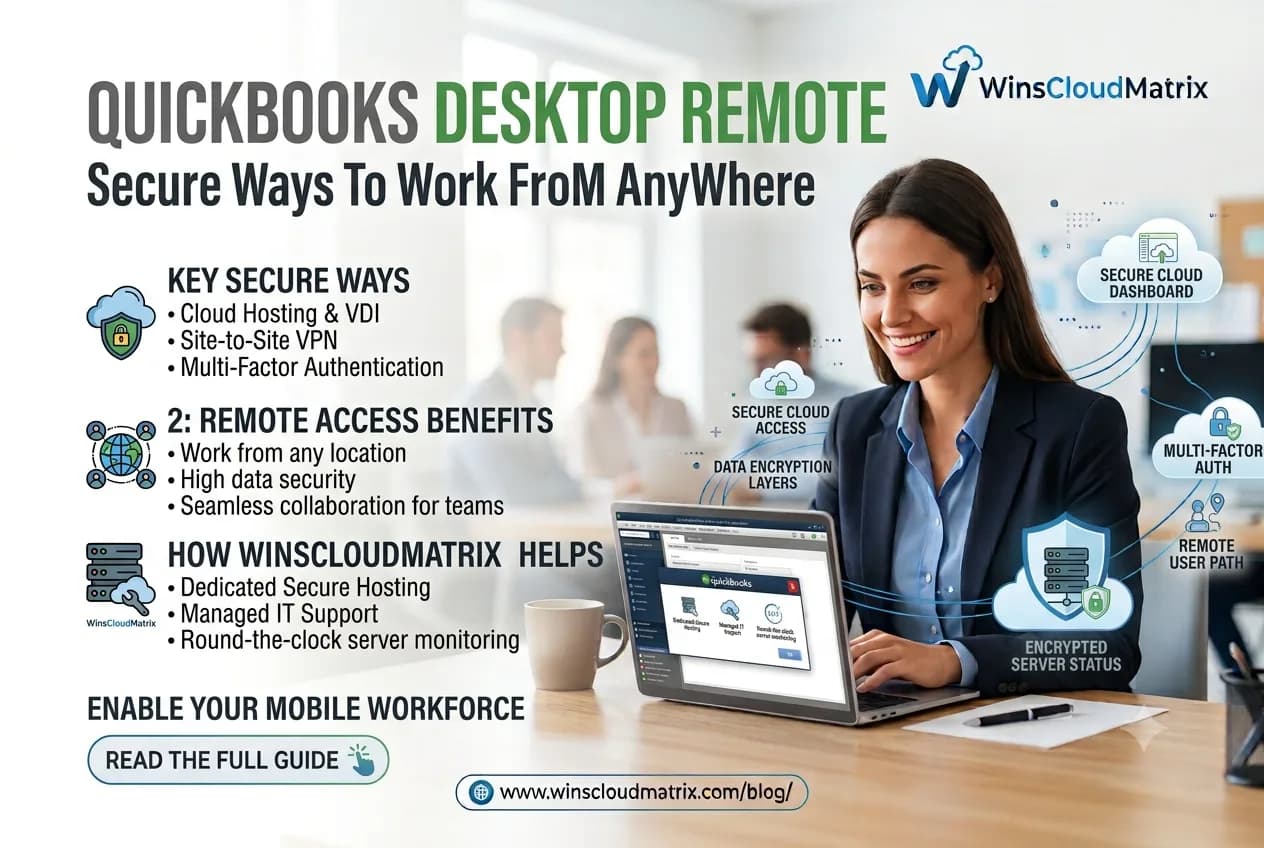
QuickBooks Desktop is widely used by small businesses, accountants, bookkeepers, and CPA firms to manage accounting, payroll, invoices, expenses, and financial reports. However, traditional desktop software can become difficult to use when your team needs to work from different locations.
This is where QuickBooks Desktop remote access can help. With the right setup, you can access your QuickBooks Desktop company files remotely while keeping your accounting data protected.
In this guide, we’ll explain how QuickBooks Desktop remote access works, the main ways to access QuickBooks from anywhere, and the security practices businesses should follow.
What Is QuickBooks Desktop Remote Access?
QuickBooks Desktop remote access allows authorized users to work with QuickBooks Desktop from a location other than the computer where the software is installed.
Instead of being limited to one office computer, users can connect to a remote computer or hosted environment and work with QuickBooks over an internet connection.
This can be useful for:
- Accountants working with multiple clients
- CPA firms with remote employees
- Bookkeepers working from home
- Small businesses with distributed teams
- Business owners who travel frequently
- Teams that need access outside normal office hours
Remote access can make it easier for teams to continue their accounting work without moving company files between different computers.
How Does QuickBooks Desktop Remote Access Work?
There are several ways to access QuickBooks Desktop remotely. The right option depends on your business requirements, number of users, security needs, and existing IT setup.
1. Remote Desktop Access
With remote desktop access, QuickBooks Desktop remains installed on a specific computer or server. You connect to that system remotely using a secure remote desktop connection.
Once connected, you can interact with QuickBooks as if you were sitting in front of the computer.
This approach can work well for businesses that already have a dedicated office computer or server.
However, the computer needs to remain available and properly configured for remote access.
2. QuickBooks Desktop Hosting
With QuickBooks Hosting, QuickBooks Desktop and the associated company files are hosted on a secure cloud server.
Authorized users can connect to the hosted environment from supported devices and locations.
This setup can be useful for accounting firms and businesses that need regular remote access without maintaining their own physical server.
With QuickBooks Cloud Hosting, businesses can centralize their accounting environment while allowing authorized team members to work remotely.
Benefits of QuickBooks Desktop Remote Access
Work From Different Locations
Remote access allows accountants, business owners, and employees to work with QuickBooks Desktop without always being physically present in the office.
This can make it easier to manage accounting tasks while working from home, traveling, or working from another office.
Access the Same Accounting Environment
When QuickBooks Desktop is hosted or accessed through a remote computer, users can work within the same accounting environment instead of creating multiple copies of company files.
This can help reduce confusion caused by moving files between computers.
Support Remote Accounting Teams
Many accounting firms have employees working from different locations. Remote access allows authorized team members to access the accounting environment without requiring everyone to work from the same office.
Reduce File Transfer Requirements
Moving QuickBooks company files between computers can create unnecessary steps and increase the possibility of using an outdated file.
A properly configured remote environment can keep the primary accounting data in one location.
Convenient Access for Accountants and Bookkeepers
Accountants and bookkeepers often need to work with QuickBooks outside traditional office hours. Remote access provides more flexibility when handling bookkeeping, reconciliation, reporting, and other accounting activities.
Is QuickBooks Desktop Remote Access Secure?
Remote access can be secure when it is properly configured and managed. However, security depends on the remote access method, server configuration, user permissions, authentication, software updates, and other security controls.
Businesses should not assume that simply placing QuickBooks on a remote computer automatically makes the environment secure.
A secure setup should include appropriate access controls and protection for accounting data.
Read More:-Drake Tax Hosting: Benefits, Costs and How It Works
7 Security Practices for QuickBooks Remote Access
1. Use Strong Passwords
Every user should have a strong, unique password. Avoid using simple passwords based on names, company information, or commonly used phrases.
2. Enable Multi-Factor Authentication Where Available
Multi-factor authentication adds another verification step when users sign in. When supported by the remote access system or hosting environment, it can provide an additional layer of account protection.
3. Limit User Access
Not every employee needs access to every accounting function.
Set user permissions according to each person’s responsibilities. Limiting access can reduce the risk of unauthorized changes to financial information.
4. Keep Software Updated
QuickBooks, operating systems, remote access software, browsers, and security tools should be kept up to date.
Software updates can include important security fixes and performance improvements.
5. Use Secure Internet Connections
Users should avoid accessing sensitive accounting information over unsecured public networks whenever possible.
When employees need to work from outside the office, using a trusted and secure internet connection is an important security practice.
6. Maintain Regular Backups
Accounting data should be backed up regularly. A backup can help businesses recover important information if files become damaged, deleted, or affected by an unexpected technical problem.
Businesses should also periodically verify that backups can actually be restored.
7. Monitor User Activity
Businesses should know who has access to their accounting environment. Regularly reviewing user accounts and removing access for former employees can help reduce security risks.
QuickBooks Desktop vs. QuickBooks Online for Remote Work
QuickBooks Desktop and QuickBooks Online use different approaches to remote access.
QuickBooks Online is browser-based and designed for online access, while QuickBooks Desktop is traditionally installed on a computer. Businesses that prefer QuickBooks Desktop can use remote desktop access or a hosting environment to work remotely.
The choice depends on the company’s accounting requirements, existing QuickBooks version, workflow, users, and preferred working environment.
For businesses that want to continue using their existing QuickBooks Desktop setup while supporting remote teams, QuickBooks Desktop Hosting can be one option to consider.
Who Can Benefit From QuickBooks Desktop Remote Access?
Remote access can be useful for different types of businesses and professionals.
Accountants
Accountants can access accounting applications while working from home, at the office, or while traveling.
CPA Firms
CPA firms can provide their teams with access to QuickBooks and other accounting applications without requiring every employee to work from one physical location.
Bookkeepers
Bookkeepers managing multiple clients can benefit from a centralized remote working environment.
Small Businesses
Small businesses can give authorized employees and business owners access to accounting systems when they are working from different locations.
What to Consider Before Choosing a QuickBooks Hosting Provider
If you are considering hosted QuickBooks Desktop, review the provider carefully before moving your accounting environment.
Consider:
- Data security practices
- User access controls
- Backup procedures
- Technical support availability
- Server performance
- Remote access options
- Compatibility with your QuickBooks version
- Number of supported users
- Data migration assistance
- Pricing and contract terms
It is also important to understand how your data is stored, protected, backed up, and restored.
QuickBooks Desktop Remote Access for Accounting Firms
For accounting firms, remote access can simplify collaboration between accountants, bookkeepers, and support staff.
Instead of keeping separate QuickBooks files on multiple computers, firms can use a centralized environment where authorized users access the required applications and company files.
This can be particularly useful for firms with remote employees or teams working from multiple locations.
Common Questions About QuickBooks Desktop Remote Access
Can I access QuickBooks Desktop from home?
Yes. QuickBooks Desktop can be accessed remotely using an appropriate remote desktop setup or through a QuickBooks hosting environment.
Can accountants use QuickBooks Desktop remotely?
Yes. Accountants can use QuickBooks Desktop remotely when the software and company files are configured for secure remote access.
Is QuickBooks Desktop Hosting the same as QuickBooks Online?
No. QuickBooks Desktop Hosting allows users to access a hosted version of QuickBooks Desktop remotely, while QuickBooks Online is a separate cloud-based accounting product.
Can multiple users access hosted QuickBooks Desktop?
Depending on the QuickBooks edition, licensing, and hosting setup, multiple authorized users may be able to access the hosted environment. User permissions should be configured according to individual responsibilities.
How can I protect QuickBooks data during remote access?
Use strong passwords, appropriate user permissions, multi-factor authentication where available, secure connections, updated software, and regular backups.
Final Thoughts
QuickBooks Desktop remote access gives businesses and accounting professionals more flexibility to work from different locations. Whether you use remote desktop access or a hosted QuickBooks environment, security and proper configuration should remain a priority.
For businesses that rely on QuickBooks Desktop and have remote employees, accountants, or bookkeepers, a properly managed QuickBooks Enterprise Cloud Hosting environment can provide a practical way to access accounting applications without being tied to a single physical location.
Before choosing a solution, review your business requirements, user access needs, security practices, backup process, and hosting provider carefully
Read More:-Sage Cloud Hosting : Complete Guide for Businesses and Accounting Firms