What Is QuickBooks Cloud Hosting? A Complete Guide
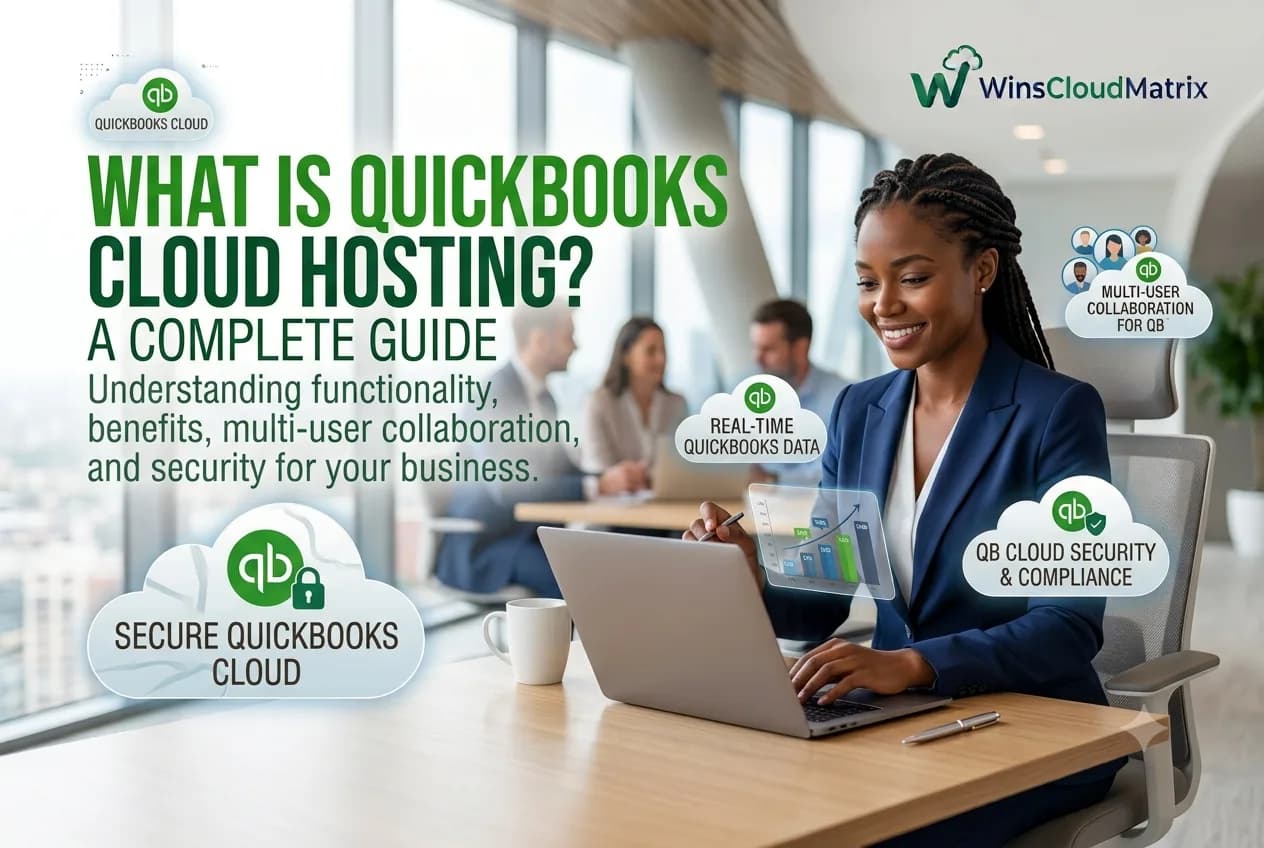
What Is QuickBooks Cloud Hosting? A Complete Guide
Businesses today need flexible ways to manage accounting and financial information. With employees working from offices, homes, and different locations, accessing accounting software from anywhere has become increasingly important.
QuickBooks Cloud Hosting provides a way to access supported QuickBooks Desktop software through a hosted cloud environment. Instead of keeping the software and company files only on a local computer or office server, they are hosted on a remote server and accessed over the internet.
Intuit describes cloud hosting as a setup where a third-party hosting company hosts the QuickBooks company file and users access it over the internet.
But what exactly does QuickBooks cloud hosting mean, how does it work, and is it right for your business?
Let’s take a closer look.
What Is QuickBooks Cloud Hosting?
QuickBooks Cloud Hosting is a service that allows supported QuickBooks Desktop software and company data to be hosted on a remote server.
Instead of accessing QuickBooks only from a computer in your office, authorized users can connect to the hosted environment remotely.
This can allow businesses to:
- Access QuickBooks from different locations
- Support remote and hybrid accounting teams
- Work with the same hosted company data
- Provide access to multiple authorized users
- Continue using supported QuickBooks Desktop workflows
- Reduce dependence on a single physical workstation
Intuit currently lists QuickBooks Desktop Pro, Premier, Accountant Desktop, and Enterprise Solutions among the QuickBooks Desktop versions that authorized third-party hosting providers can host.
How Does QuickBooks Cloud Hosting Work?
The process is relatively simple.
First, supported QuickBooks Desktop software and company files are placed in a hosting environment provided by a hosting company.
The hosting provider manages the server environment, while authorized users connect to the hosted system through a supported remote access method.
Once connected, users can work with QuickBooks and their company data remotely.
The basic process looks like this:
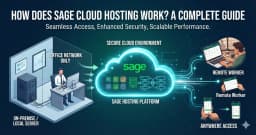
QuickBooks Desktop → Hosted Server → Secure Internet Connection → Authorized User
The exact access method depends on the hosting provider and hosting setup.
QuickBooks Cloud Hosting vs. QuickBooks Online
One of the most common questions is whether QuickBooks Cloud Hosting and QuickBooks Online are the same thing.
They are not the same.
QuickBooks Cloud Hosting generally refers to hosting supported QuickBooks Desktop software on a remote server.
QuickBooks Online is a separate cloud-based accounting product designed to run online.
| Feature | QuickBooks Cloud Hosting | QuickBooks Online |
|---|---|---|
| Software | QuickBooks Desktop | QuickBooks Online |
| Hosting | Hosted by a hosting provider | Cloud service operated as QuickBooks Online |
| Access | Remote access to hosted Desktop | Browser/app access |
| Desktop workflow | Supported Desktop features | Online product features |
| Best for | Businesses that want to continue using supported Desktop software | Businesses that prefer an Online accounting platform |
If your business depends on a particular QuickBooks Desktop workflow, QuickBooks Cloud Hosting may be worth considering.
What Are the Benefits of QuickBooks Cloud Hosting?
1. Access QuickBooks From Anywhere
One of the biggest advantages of cloud hosting is remote access.
Authorized users can connect to their hosted QuickBooks environment from different locations, provided they have a compatible device and internet connection.
This can be useful for:
- Remote employees
- Accountants
- Bookkeepers
- CPA firms
- Business owners
- Distributed teams
2. Support Remote Accounting Teams
Accounting teams do not always work from the same office.
With QuickBooks Hosting, authorized employees can access the hosted environment remotely and continue working with their accounting software.
This can make QuickBooks more practical for businesses using remote or hybrid work arrangements.
3. Centralized QuickBooks Environment
With a hosted setup, QuickBooks and company data can be maintained in a centralized environment.
This can make it easier for authorized users to work with the same hosted system instead of maintaining separate local installations.
4. Multi-User Access
Depending on the QuickBooks edition, licensing, and hosting configuration, multiple authorized users can access the hosted environment.
This can be useful for accounting firms and businesses where several employees need to work with QuickBooks.
Businesses should confirm user limits and licensing requirements with their hosting provider before choosing a plan.
5. Continue Using QuickBooks Desktop
Some businesses prefer QuickBooks Desktop because of the features and workflows they already use.
Cloud hosting can provide remote access to supported QuickBooks Desktop products without requiring the business to immediately move to QuickBooks Online.
6. Flexible Business Operations
A hosted accounting environment can support businesses with employees working from home, different offices, client locations, or while traveling.
The result is a more flexible way to access accounting software while maintaining a familiar QuickBooks Desktop environment.
QuickBooks Cloud Hosting for Accountants
Accounting professionals often need access to client financial information from different locations.
QuickBooks Hosting for Accountants can provide a hosted environment where authorized accounting professionals can access supported QuickBooks Desktop software remotely.
This can be useful for:
- Accounting firms
- CPA firms
- Bookkeeping companies
- Independent accountants
- Remote accounting teams
Before choosing a provider, accountants should review software compatibility, user requirements, security, backup policies, and licensing.
QuickBooks Cloud Hosting for CPA Firms
CPA firms often work with multiple clients and accounting workflows.
QuickBooks Hosting for CPA Firms can support remote access to supported QuickBooks Desktop applications.
A hosted environment may help CPA firms provide their teams with flexible access to QuickBooks while working from different locations.
CPA firms should also consider client data protection, user permissions, backup policies, and software compatibility.
QuickBooks Cloud Hosting for Bookkeepers
Bookkeepers may need to access QuickBooks while working with multiple clients.
QuickBooks Hosting for Bookkeepers can provide remote access to supported QuickBooks Desktop applications through a hosted environment.
This can be useful for bookkeepers who work from home, visit clients, or manage accounting tasks from multiple locations.
QuickBooks Enterprise Cloud Hosting
Businesses with larger or more advanced accounting requirements may consider QuickBooks Enterprise Hosting.
QuickBooks Desktop Enterprise with cloud hosting is designed to provide remote access to Enterprise while supporting multi-user workflows and cloud-based access. Intuit currently offers Enterprise hosting packages with different storage, application, and support options.
The appropriate setup depends on the number of users, software requirements, applications, storage, and business needs.
Is QuickBooks Cloud Hosting Secure?
Security is an important consideration when hosting accounting data.
The level of security depends on the hosting provider and the specific hosting environment.
Businesses should look for providers that explain their:
- Access controls
- User permissions
- Data encryption
- Firewall protection
- Monitoring
- Backup procedures
- Recovery processes
- Authentication methods
For example, Intuit’s own hosted Enterprise offering describes encryption, firewalls, multifactor authentication, user roles, and automatic backups as part of its hosting environment.
Businesses should also protect their own user accounts by using strong passwords, appropriate permissions, and secure devices.
Is QuickBooks Cloud Hosting Right for Your Business?
QuickBooks Cloud Hosting may be suitable if your business:
- Uses supported QuickBooks Desktop software
- Has employees working remotely
- Needs access from multiple locations
- Wants a centralized accounting environment
- Has multiple authorized QuickBooks users
- Wants to continue using Desktop workflows
However, businesses should first confirm software compatibility, licensing, user requirements, hosting costs, and security practices.
How to Choose a QuickBooks Cloud Hosting Provider
Before choosing a provider, consider the following factors.
QuickBooks Compatibility
Confirm that the provider supports your QuickBooks edition and version.
Number of Users
Determine how many employees need access and whether they need simultaneous access.
Hosting Performance
Ask about server resources, infrastructure, performance, and uptime commitments.
Security
Review access controls, encryption, monitoring, and other security practices.
Backup
Ask how often your data is backed up, how long backups are retained, and how recovery works.
Technical Support
Check support availability, communication channels, and response procedures.
Pricing
Compare the complete cost, including hosting, software licensing, users, storage, support, and additional services.
QuickBooks Cloud Hosting Pricing
There is no single price for QuickBooks cloud hosting.
Pricing can vary depending on:
- QuickBooks edition
- Number of users
- Hosting resources
- Storage
- Backup services
- Technical support
- Software licensing
- Additional applications
For this reason, businesses should compare the complete package rather than choosing a provider based only on the lowest advertised monthly price.
Why Consider Winscloud Matrix for QuickBooks Cloud Hosting?
Winscloud Matrix provides cloud hosting solutions for businesses and professionals that need remote access to accounting and business applications.
Businesses can explore QuickBooks Hosting for supported QuickBooks Desktop hosting requirements.
For businesses using QuickBooks Enterprise, QuickBooks Enterprise Hosting is also available.
Before choosing a hosting solution, businesses should review the supported software, user requirements, security practices, backup options, pricing, and support services.
Frequently Asked Questions
What is QuickBooks Cloud Hosting?
QuickBooks Cloud Hosting allows supported QuickBooks Desktop software and company files to be hosted on a remote server and accessed by authorized users over the internet.
Is QuickBooks Cloud Hosting the same as QuickBooks Online?
No. QuickBooks Cloud Hosting generally involves hosting QuickBooks Desktop on a remote server, while QuickBooks Online is a separate cloud-based accounting product.
Can I access QuickBooks from anywhere?
Hosted QuickBooks can allow authorized users to access their QuickBooks environment remotely, provided they have a suitable internet connection and supported access method.
Can multiple users use QuickBooks Cloud Hosting?
Yes, multiple users may be able to access hosted QuickBooks depending on the software edition, licensing, hosting configuration, and user permissions.
Is QuickBooks Cloud Hosting good for accountants?
It can be useful for accountants who need remote access to supported QuickBooks Desktop software and work across different locations.
Can CPA firms use QuickBooks Cloud Hosting?
Yes. CPA firms can use a compatible hosted environment to provide authorized employees with remote access to supported QuickBooks Desktop applications.
How much does QuickBooks Cloud Hosting cost?
The cost varies based on the provider, QuickBooks edition, number of users, storage, support, licensing, and other services.
Is QuickBooks Cloud Hosting secure?
Security depends on the hosting provider and configuration. Businesses should review encryption, access controls, authentication, monitoring, backups, and recovery policies before selecting a provider.
Can QuickBooks Enterprise be hosted in the cloud?
Yes. QuickBooks Desktop Enterprise can be provided with cloud hosting through supported hosting services.
What should I check before choosing a QuickBooks Cloud Hosting provider?
Check QuickBooks compatibility, user capacity, security, backup policies, performance, support, migration assistance, and total pricing.
Final Thoughts
QuickBooks Cloud Hosting provides businesses with a flexible way to access supported QuickBooks Desktop software remotely.
It can be particularly useful for accounting firms, CPA firms, bookkeepers, and businesses with remote or distributed teams.
However, choosing the right provider requires more than comparing prices. Businesses should evaluate software compatibility, security, user access, backup policies, performance, support, and overall cost.
If you are looking for a hosted environment for QuickBooks Desktop, explore QuickBooks Hosting by Winscloud Matrix to learn more about the available hosting options.