Sage 300cloud vs Sage 300 Classic: Know the Key Differences in 2026
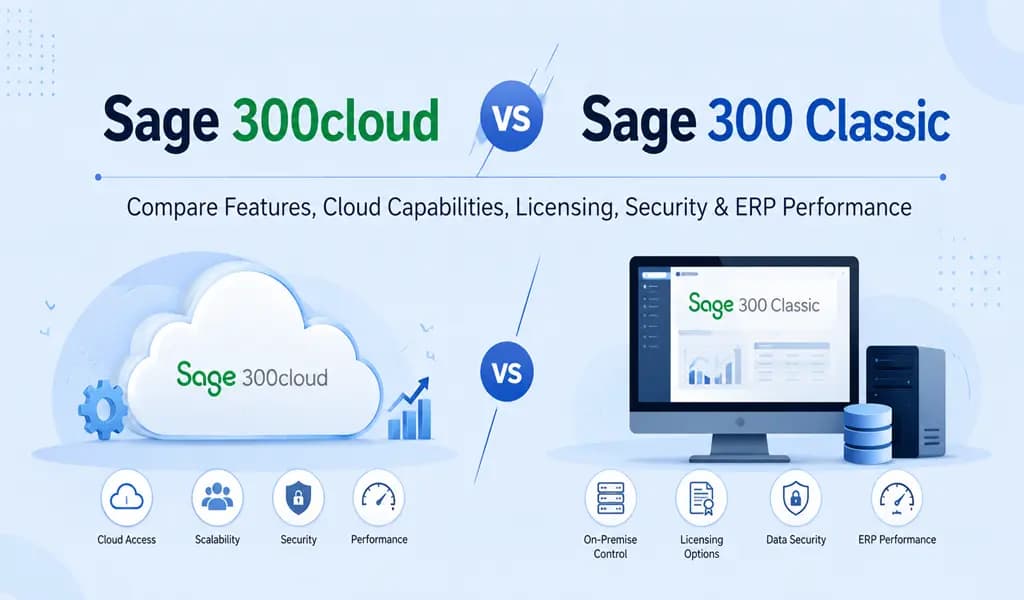
If you are running a small, mid‑size, or growing large enterprise business in the U.S., then you’re probably using Sage 300 or at least thinking about it. Sage offers two main types of the same powerful ERP software Sage 300 Classic that is the traditional on‑premise version and Sage 300cloud is the modern, cloud‑based version.
For CPAs, accountants, controllers, and business owners, the right choice comes down to how you want to work, how much IT you want to manage, and how much flexibility you need for remote teams, multi‑location operations, and tax‑season workloads.
What is Sage 300 Classic?
Sage 300 Classic is the “classic” on‑premise version of Sage 300. It runs on a server inside your office or data center, and users connect to it using a desktop client installed on each PC or laptop.
Example: your ERP lives in your building, tied to a physical machine. If that server goes down, faces a power issue, or gets hit by ransomware, your accounting and operations can stop until your IT team or MSP fixes it.
Best for:
- Businesses that own their licenses and prefer a one‑time purchase model.
- Companies with a single office or strong in‑house IT support.
- Owners who like to control every piece of their tech stack.
Pros of Sage 300 Classic
- You own the software licenses (no monthly subscription).
- Full control over the server, hardware, networking, and when you upgrade.
- Tight integration with other local systems you already have in your office.
Cons of Sage 300 Classic
- High upfront cost for servers, storage, backups, and maintenance.
- Remote access is inconvenient; usually needs VPN and extra setup for remote workers or satellite offices.
- Your team or MSP is responsible for updates, security patches, and disaster recovery.
Also Read: What is Sage 50 Hosting, Its Benefits, Cost and Questions 2026
What is Sage 300cloud?
Sage 300cloud runs the same core Sage 300 modules, General Ledger, Accounts Receivable, Accounts Payable, Inventory, Payroll, and more but it’s delivered as a cloud‑based, browser‑accessible system.
Users log in through a web browser from any device, laptop, tablet, or even a Chromebook anywhere in the U.S., as long as they have an internet connection. This makes it ideal for:
- Remote CPAs and accountants supporting multiple clients.
- Businesses with multiple locations (e.g., manufacturing, distribution, services).
- Seasonal tax and year‑end workloads with remote or offshore support.
Key Differences from Classic
- Access: Classic uses desktop clients; Sage 300cloud uses a browser.
- Licensing: Classic = one‑time purchase + maintenance; Cloud = subscription (monthly or annual).
- Deployment: Classic = on your own hardware; Cloud = hosted in Sage’s or a partner’s cloud infrastructure.
Pros of Sage 300cloud
- No big upfront server costs; you pay a predictable monthly fee.
- Real‑time access from anywhere, which is great for remote teams, external CPAs, and multi‑location operations.
- Automatic updates, security patches, and backups handled by the cloud provider.
Cons of Sage 300cloud
- Ongoing subscription cost instead of a one‑time purchase.
- Less direct control over the hardware and underlying infrastructure (you trade control for simplicity).
Sage 300cloud vs Sage 300 Classic: A Simple Comparison Businesses
| Feature | Sage 300 Classic | Sage 300cloud |
| How it runs | On your own server, desktop client | In the cloud, accessed via browser |
| Pricing model | One‑time license + maintenance | Subscription (monthly/annual) |
| Remote access | Needs VPN or extra setup | Built‑in, work from anywhere |
| Upgrades & patches | Manual, your IT team or MSP handles them | Mostly automatic in the cloud |
| Hardware cost | High (server, backup, storage) | Low or none (provider‑managed) |
| Control over system | High (you own the stack) | Moderate (managed SaaS‑style) |
| Best for U.S. teams | Single‑location, in‑house IT, cap‑ex budget | Remote CPAs, multi‑location, Op‑Ex budget |
Why Host Sage 300 on the Cloud?
Even if you don’t want to switch to Sage 300cloud, you can still keep using Sage 300 Classic and host it on the cloud via a cloud‑desktop or hosted RDS environment. In this model, your Sage server lives in a secure data center, and your users access it remotely through a secure connection.
For U.S. CPAs and accountants serving multiple clients, this is a big win because it lets you work from anywhere without asking each client to set up their own robust VPN or IT staff.
Also Read: Sage 100 vs Sage 300 Hosting: Which ERP Cloud Solution Is Better in 2026
Benefits of cloud‑hosting Sage 300 Classic or Cloud
- Work from anywhere: Remote team members, external CPAs, and multi‑state offices can all access the same system without worrying about office hardware.
- Lower IT burden: You don’t have to buy, replace, or maintain physical servers. The cloud provider handles hardware, basic security, and updates.
- Better security: Reputable hosts use firewalls, encryption, and strict access controls to protect sensitive financial and tax data.
- Automated backups & recovery: Daily backups, snapshots, and disaster‑recovery options help you restore quickly after a failure critical during month‑end, tax season, or audits.
- Scalability: As your business grows or your client list expands, the cloud provider can easily add more CPU, RAM, or storage instead of forcing you to buy a new server.
Why Host Sage 300 with Winscloud Matrix?
Winscloud Matrix is a specialized hosting provider that focuses on Sage environments, including Sage 300cloud vs Sage 300 Classic. They don’t treat Sage as “just another application”; they design their cloud setup around how Sage actually behaves concurrent users, reporting, batch jobs, and heavy month‑end processing.
1. Sage‑optimized performance
Servers and networks are tuned for Sage workloads, so your day‑to‑day tasks (invoicing, reporting, reconciliations) feel fast and responsive.
2. High availability and uptime
SLA‑driven uptime (often 99.9%) and 24×7 monitoring help keep your finance team, CPAs, and remote accountants running even after hours.
3. Security‑first approach
Enterprise‑grade firewalls, endpoint protection, and role‑based access controls keep your financial and tax data locked down and compliant with your firm’s or client’s security policies.
4. Managed backups and disaster recovery
Automated daily backups, snapshots, and quick‑restore options mean you can recover quickly from data loss, ransomware, or system failure critical for month‑end and tax work.
5. Remote‑ready for multi‑location and remote teams
Perfect for firms with remote CPAs, offshore support, or clients spread across states. Everyone works from the same secure environment without clunky VPNs.
6. Predictable Op‑Ex model
Pay a fixed monthly fee that typically includes hosting, support, and basic maintenance, making budgeting easier for small firms and growing businesses.
Which Option is Right for Your U.S. Business or Practice?
- Choose Sage 300 Classic (on‑premise) if you already own licenses and are comfortable managing your own IT or have an MSP. Your team and clients mostly work from one office location.
- Choose Sage 300cloud if you want a modern, browser‑based system with remote access. You work with multiple remote CPAs, outsourced accountants, or have clients in different states.
- Host Sage 300 (Classic or Cloud) with Winscloud Matrix if you want the control and stability of Sage 300 but with enterprise‑level security, performance, and remote access. You’re a CPA firm, accounting practice, or growing U.S. business that values uptime, data protection, and peace of mind during tax season and month‑end.
Conclusion
Sage 300 Classic and Sage 300cloud both give you the same powerful ERP core, but they differ in how you access, manage, and pay for it. Sage 300 Classic works well if you own your licenses, have a single office, and prefer full control over your server and upgrades. Sage 300cloud is better if you want a modern, browser‑based system, remote access for your accountants and CPAs, and a predictable monthly cost instead of a large upfront investment.
For most U.S. CPAs, accounting firms, and growing businesses, the real advantage comes from hosting Sage 300 on the cloud, whether you choose Classic or the cloud edition. Cloud hosting gives you remote access, stronger security, automatic backups, and far less IT overhead especially during busy periods like tax season and month‑end.When you add a specialized provider like Winscloud Matrix into the mix, you get a Sage‑optimized environment built for performance, high availability, and strict security. That means your financial data is safer, your system stays up when you need it most, and your team can work from anywhere without worrying about servers or VPNs.