
QuickBooks Error 2727: Causes, Symptoms, and Proven Solutions to Fix It in 2026
When managing business finances, QuickBooks Desktop serves as an indispensable tool. However, encountering technical roadblocks during critical updates or a fresh setup can bring operations to a sudden halt. One such disruptive technical glitch is QuickBooks Error 2727.
This comprehensive technical guide breaks down what causes QuickBooks Error 2727, how it manifests, and the verified engineering procedures required to permanently resolve it.
What is QuickBooks Error 2727?
QuickBooks Error 2727 is classified as a critical installation and update defect. It typically surfaces when the Windows Installer engine encounters a missing, corrupt, or inaccessible directory entry within the Microsoft Installer (MSI) database tables during a QuickBooks setup or version upgrade.
Unlike data corruption bugs, Error 2727 does not compromise your company financial data file (.QBW). Instead, it targets the foundational software binaries, halting installation routines or patch deployments midway.
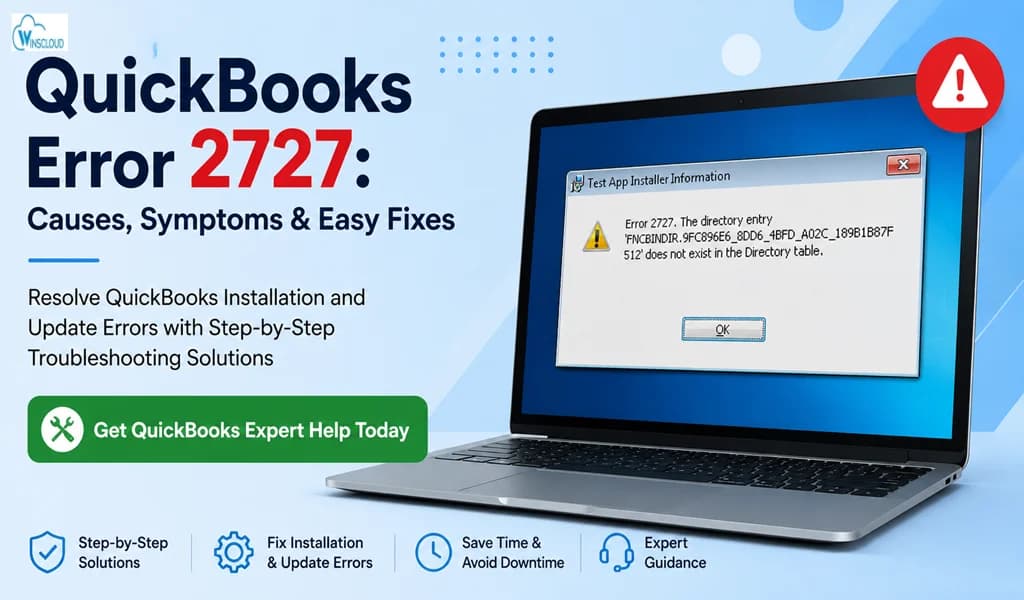
The explicit error string displayed on screen usually appears as:
“Error 2727: The directory entry [FNCBINDIR,9FC896E6_8DD6_4BFD_A02C_189B1B87F512] does not exist in the Directory table.”
![Error 2727: The directory entry [2] does not exist in the Directory table](https://thesecureworks.com/wp-content/uploads/2026/06/image.avif)
Also Read: Fix QuickBooks Error PS038 Payroll Update Issue in 2026
Common Causes of QuickBooks Error 2727
Understanding the root cause helps determine the most effective fix. Several factors can trigger this error. The most common causes include:
Corrupted QuickBooks Installation Files
If QuickBooks files become damaged during download or installation, Windows may be unable to complete the setup process.
Incomplete Software Updates
An interrupted QuickBooks update can leave installation components partially configured, resulting in Error 2727.
Damaged Windows Installer Service
QuickBooks relies on Microsoft Windows Installer to install and update program files. If the service isn’t working properly, installation errors can occur.
Microsoft .NET Framework Issues
QuickBooks depends on Microsoft .NET Framework for many functions. Corruption within .NET can prevent QuickBooks from installing correctly.
Insufficient User Permissions
Installing QuickBooks without administrator rights may block access to important system folders and registry entries.
Antivirus or Security Software Conflicts
Some security applications mistakenly flag QuickBooks installation files and prevent them from running.
Registry Problems
Broken or invalid registry entries from previous QuickBooks installations can interfere with new installations.
How to Fix QuickBooks Error 2727: Verified Solutions
Before executing the technical remedies outlined below, ensure that your computer system clock is accurately synchronized with internet time, as timestamp mismatches can cause secure installation routines to fail.
Solution 1: Grant Administrative Rights to the Installer Engine
Standard Windows user permissions can prevent the application installer from mapping specific directories.
- Locate the downloaded QuickBooks installation setup file (usually an .exe file in your Downloads folder).
- Right-click the executable setup icon and select Properties.
- Navigate to the Compatibility tab.
- Check the box labeled Run this program as an administrator.
- Click Apply, hit OK, and attempt to run the installation process again.
Solution 2: Deploy the QuickBooks Install Diagnostic Tool
The QuickBooks Desktop Tool Hub houses specialized repair scripts designed to target structural installer flaws.
Step 1: Install the Latest QuickBooks Tool Hub
- Close all active accounting workflows and exit any background QuickBooks processes.
- Download the current version of the QuickBooks Tool Hub from the official Intuit distribution servers.
- Launch the downloaded setup binary (QuickBooksToolHub.exe) and complete the installation prompts.
Step 2: Run the Installer Diagnostic Utility
- Open the QuickBooks Tool Hub from your desktop shortcut.
- From the sidebar navigation panel, click on Installation Issues.
- Select the QuickBooks Install Diagnostic Tool button.
- Allow the automated process to scan, cross-reference, and fix structural components in your Windows Installer framework. Note: This scan may take up to 20 minutes to finish.
- Once complete, restart your computer system to apply the underlying configuration updates.
Solution 3: Isolate Environmental Conflicts Using Selective Startup
Background utility programs and non-critical system services can interfere with the Microsoft Installer engine. Running the installation in a stripped-down environment eliminates these variables.
- Press the Windows Key + R simultaneously to activate the run command box.
- Type msconfig and press Enter to open the System Configuration window.
- Inside the General tab, select the Selective startup radio button.
- Ensure Load system services is checked, but uncheck Load startup items.
- Switch over to the Services tab.
- Check the box at the bottom labeled Hide all Microsoft services.
- Click the Disable all button to pause third-party background applications.
⚠️ Critical Check: Scroll through the remaining services list and verify that the Windows Installer checkbox remains checked. - Click Apply, select OK, and restart your computer.
- Launch the QuickBooks installation procedure. Once completed successfully, reopen msconfig, choose Normal startup, and restart your machine to restore regular background operations.
Solution 4: Clean Re-Register Core Windows DLL Components
If Error 2727 is driven by unaligned dynamic link library paths within the internet proxy layers, re-registering them via the command console will resolve the structural breakdown.
- Type cmd into your Windows Search bar.
- Right-click the Command Prompt search result and choose Run as administrator.
- In the elevated command terminal window, type the following string exactly as shown and press Enter:
$$\text{regsvr32 /u IEProxy.dll}$$ - Once the unregistration success notification pops up, type the secondary registration command and hit Enter:
$$\text{regsvr32 IEProxy.dll}$$ - Close out the command window and restart the installation module.
Solution 5: Reset the QuickBooks Web Connector Folder Name
Corrupted data cached within the Web Connector directories can trigger directory table mismatch issues during system updates.
- Press Windows Key + E to launch File Explorer.
- Navigate to the following target system path: C:\ProgramData\Intuit
- Locate the folder explicitly named QBWebConnector.
- Right-click the folder, choose Rename, and append .old to the name (resulting in QBWebConnector.old).
- Restart your system and try updating QuickBooks again. The system will build a fresh, uncorrupted folder automatically.
Solution 6: Advanced Fix — Building an Unpack Exclusion Filter
When applying a complex update or compiling source components via Visual Studio tools alongside QuickBooks, temporary files can sometimes disrupt the installer path allocation engine with double trailing forward slashes (e.g., \obj\Release\\TemporaryFile.cs).
If your advanced manual installer deployment continuously displays Error 2727 despite running clean install scripts, open your installation design studio properties, select the source properties configuration menu, and add *Temporary* to your build exclusion directory list. This safely shields volatile cache paths from colliding with the structural installation file path tables.
QuickBooks Error 2727 Troubleshooting Overview
| Repair Step | Intended Resolution Vector | Expected Run Time | Complexity |
| Admin Elevation | Overrides local user account restriction blocks. | 1-2 Minutes | Low |
| Install Diagnostic Tool | Repairs damaged .NET Framework configurations and core MSI tables. | 15-20 Minutes | Low |
| Selective Startup Mode | Neutralizes third-party background software interference. | 10 Minutes | Medium |
| DLL Re-Registration | Re-aligns internal Windows communication links. | 2 Minutes | Medium |
| Web Connector Reset | Clears out corrupted application update cache files. | 3 Minutes | Medium |
| Exclusion Filter Tuning | Controls nested compiler folder structures. | 5 Minutes | High |
Frequently Asked Questions
Does QuickBooks Error 2727 cause financial data loss?
No. Error 2727 is restricted entirely to application setup routines and system files. Your company financial records (.QBW) are separate and safe from this error.
Why does my antivirus software flag the QuickBooks setup file?
Aggressive heuristic detection configurations in modern security applications sometimes mistake complex database management setups for suspicious background behavior. If you run into this, temporarily disabling your antivirus during the installation window safely bypasses the block.
What should I do if the Install Diagnostic Tool fails to resolve the error?
If the automated utility fails, your local Windows installation profile may have deeper system file corruption. Running a clean installation using the QuickBooks Clean Install Tool or setting up a new Windows Administrator user account will provide a clean environment for the software setup.
Is QuickBooks Error 2727 a company file error?
No. Error 2727 is an installation-related issue and does not indicate damage to your QuickBooks company file.
Can Windows updates cause QuickBooks Error 2727?
Yes. Incompatible or incomplete Windows updates can interfere with QuickBooks installation components.
Does reinstalling QuickBooks fix Error 2727?
In many cases, performing a clean installation resolves corrupted installation files and component registration issues.
What is the best tool to fix QuickBooks Error 2727?
The QuickBooks Install Diagnostic Tool within QuickBooks Tool Hub is often the fastest and most effective solution.
Final Thoughts
QuickBooks Error 2727 can be frustrating, especially when it interrupts installation or updates. Fortunately, the error is usually caused by Windows components, installation files, or permission-related issues rather than serious software damage. Contact Winscloud Matrix for QuickBooks hosting error.
Start with simple fixes such as restarting your computer, running QuickBooks as Administrator, and using QuickBooks Tool Hub. If the issue continues, move on to advanced troubleshooting methods like repairing .NET Framework or performing a clean install.
With the right approach, most users can resolve QuickBooks Error 2727 and get back to managing their business without prolonged downtime.