Best Sage Hosting Provider: How to Choose the Right Sage Hosting Solution
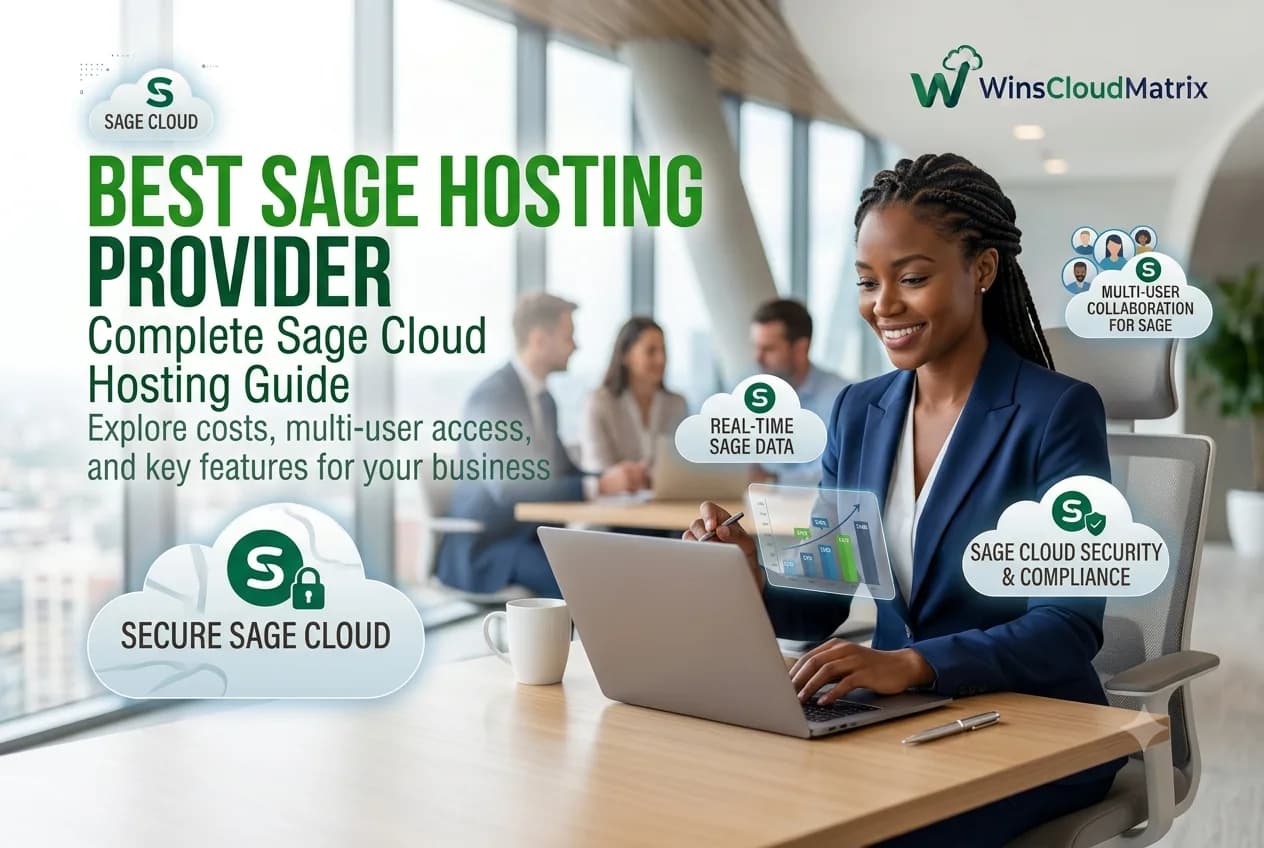
Best Sage Hosting Provider: How to Choose the Right Sage Hosting Solution
Businesses depend on reliable accounting software to manage finances, invoices, expenses, payroll, reporting, and other daily operations. For companies using Sage software, having secure and flexible access to accounting applications is especially important when employees work remotely or across multiple locations.
This is where Sage hosting can help.
A reliable Sage Hosting Provider can host supported Sage applications in a remote environment, allowing authorized users to access their accounting software from different locations. This can help businesses maintain their existing accounting workflows while supporting remote and hybrid work.
But with many hosting options available, how do you choose the Best Sage Hosting Provider for your business?
In this guide, we will explain Sage hosting, its benefits, the different hosting options available, and the key factors to consider before selecting a provider.
What Is Sage Hosting?
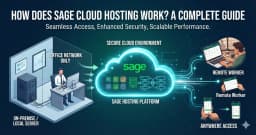
Sage Hosting allows supported Sage accounting software to run in a hosted cloud environment instead of being limited to a local computer or office server.
With a hosted setup, the application and related data can be maintained on a remote server. Authorized users can then connect to the hosted environment and access their Sage software remotely.
This can be useful for:
- Small and medium-sized businesses
- Accounting firms
- CPA firms
- Bookkeepers
- Remote accounting teams
- Businesses with multiple locations
- Companies using Sage accounting and ERP applications
The exact hosting setup depends on the Sage product, hosting provider, software licensing, user requirements, and technical configuration.
Why Do Businesses Choose Sage Cloud Hosting?
Businesses are increasingly looking for flexible ways to access accounting applications without depending entirely on a single office location.
Sage Cloud Hosting can support this type of working environment by providing remote access to supported Sage applications.
Some common benefits include:
Remote Access
Employees can access hosted Sage applications from different locations using a compatible device and internet connection.
This can be useful for employees working from home, traveling, or working from different office locations.
Flexible Working
A hosted environment can support remote and hybrid accounting teams.
Employees can continue working with their accounting software without necessarily being physically present in the office.
Centralized Access
Hosting can provide a centralized environment for the application and business data.
This can make it easier for businesses to manage application access, users, and accounting workflows from a common environment.
Support for Distributed Teams
Accounting teams can work from different locations while accessing the same hosted environment, subject to the software’s user and licensing requirements.
Reduced Local Infrastructure Requirements
Businesses that move supported applications to a hosted environment may reduce their dependence on maintaining local servers for those applications.
However, the overall infrastructure requirements depend on the specific Sage product and hosting configuration.
What Makes the Best Sage Hosting Provider?
Choosing the Best Sage Hosting Provider is not simply about finding the lowest monthly price.
Businesses should look at the complete hosting service, including performance, security, backup, support, compatibility, and user requirements.
Here are some important factors to consider.
1. Sage Software Compatibility
Before choosing a provider, confirm that the hosting environment supports your specific Sage product and version.
For example, your requirements may be different if you use:
- Sage 50
- Sage 100
- Sage 300
- Sage 500
- Sage 100 Contractor
- Sage 300 CRE
The hosting provider should also be able to explain any software, database, licensing, or integration requirements.
2. Reliable Hosting Infrastructure
Accounting software needs a stable environment to perform efficiently.
When comparing providers, ask about:
- Server resources
- Network infrastructure
- Performance monitoring
- Uptime commitments
- Storage
- Scalability
- Maintenance procedures
The right infrastructure depends on the size of your company, number of users, database size, and workload.
3. Security and Access Controls
Accounting systems contain sensitive financial and business information.
A good hosting provider should clearly explain how the hosted environment is protected.
Important areas to review include:
- User authentication
- Access permissions
- Data encryption
- Security monitoring
- Backup procedures
- Recovery processes
Businesses should also use strong passwords, appropriate user permissions, and other security controls on their side.
4. Backup and Recovery
Data backup is an important consideration when moving accounting software to a hosted environment.
Before selecting a provider, ask:
- How often are backups created?
- How long are backups retained?
- How is data restored?
- Is backup included in the hosting plan?
- Are additional recovery services available?
Understanding the backup policy can help your business prepare for unexpected technical problems.
5. Multi-User Access
Many accounting firms and businesses have several employees who need access to Sage.
Ask the hosting provider about:
- Number of supported users
- Simultaneous users
- User permissions
- Additional user costs
- Software licensing requirements
This is especially important for accounting firms and growing businesses.
Sage 50 Hosting
Sage 50 Hosting allows businesses to access supported Sage 50 accounting software through a hosted environment.
It can be useful for businesses that want remote access to their accounting software while maintaining their existing Sage 50 workflows.
Businesses should confirm the supported Sage 50 version, number of users, application requirements, and hosting configuration before moving their data.
Sage 50 Cloud Hosting
Sage 50 Cloud Hosting can provide businesses with a flexible way to work with supported Sage 50 applications remotely.
When evaluating Sage 50 cloud hosting, businesses should understand whether the solution is a fully hosted application environment or another type of cloud-connected service.
The exact setup and features can vary, so it is important to confirm what the hosting provider includes.
Sage 50 Hosting Provider
Choosing the right Sage 50 Hosting Provider requires more than comparing monthly prices.
Businesses should review:
- Sage 50 compatibility
- User capacity
- Hosting infrastructure
- Security practices
- Backup options
- Technical support
- Migration assistance
- Total cost
A provider that understands accounting software hosting can make the transition easier for businesses that rely on Sage 50 for daily operations.
Sage 50 Hosting for Accountants
Sage 50 Hosting for Accountants can help accounting professionals access supported Sage 50 software from different locations.
Accountants and bookkeeping teams may benefit from remote access when working with clients, working from home, or operating across multiple offices.
Before choosing a plan, accounting professionals should consider the number of users, client data requirements, security practices, and software compatibility.
Sage 100 Hosting
Businesses using Sage 100 can explore Sage 100 Hosting for remote access to supported Sage 100 applications.
A hosted environment can help businesses support distributed accounting and operational teams while providing access to their Sage software outside a traditional office environment.
Before migration, confirm application compatibility, database requirements, user access, integrations, and licensing.
Sage 100 Cloud Hosting
Sage 100 Cloud Hosting can provide businesses with a cloud-based environment for accessing supported Sage 100 applications.
Businesses considering a move to the cloud should evaluate their existing Sage setup and determine which hosting environment best fits their requirements.
The right configuration can depend on the number of users, application modules, integrations, database requirements, and business workflows.
Sage 100 ERP Cloud Hosting
Businesses that use Sage 100 for broader accounting and business management requirements can consider Sage 100 ERP Cloud Hosting.
A hosted Sage 100 environment can help teams access business applications remotely while maintaining a centralized working environment.
Before selecting a hosting provider, businesses should review application compatibility, security, user requirements, backup policies, and technical support.
How Much Does Sage Hosting Cost?
Sage hosting pricing can vary significantly depending on the hosting provider and the business requirements.
Factors that can affect the total cost include:
- Sage software edition
- Number of users
- Server resources
- Storage
- Backup services
- Technical support
- Migration services
- Additional applications
- Software licensing
Instead of selecting a provider only because it offers the lowest price, compare the complete package.
A slightly higher-cost plan may provide additional resources or support that your business actually needs.
Sage Hosting vs. Local Desktop Setup
Businesses using Sage software can generally consider keeping applications on local infrastructure or moving supported applications to a hosted environment.
| Feature | Local Setup | Sage Hosting |
|---|---|---|
| Application location | Local computer/server | Hosted environment |
| Remote access | May require additional setup | Designed for remote access |
| Server management | Business responsibility | Provider-managed, depending on plan |
| User access | Local network configuration | Hosting configuration |
| Backup | Business-managed | Depends on hosting plan |
| Infrastructure | Business-owned/managed | Provider infrastructure |
The right choice depends on your company’s requirements, existing infrastructure, budget, and remote working needs.
How to Choose a Sage Hosting Provider
Before selecting a provider, follow these steps.
Step 1: Identify Your Sage Product
First, determine which Sage application and version your business uses.
This will help you identify compatible hosting solutions.
Step 2: Calculate Your Users
Determine how many employees need access to the application and whether multiple users need to work simultaneously.
Step 3: Review Security
Ask the provider about security controls, user permissions, encryption, monitoring, and data protection practices.
Step 4: Check Backup Policies
Understand how often your data is backed up and how it can be restored if necessary.
Step 5: Compare Pricing
Compare the complete monthly cost rather than just the advertised hosting price.
Step 6: Ask About Migration
If you already use Sage locally, ask whether the provider offers migration support and what is included.
Always create a verified backup before beginning a migration.
Step 7: Evaluate Technical Support
Make sure the provider offers support channels and availability that match your business requirements.
Why Consider Winscloud Matrix for Sage Hosting?
Winscloud Matrix provides cloud hosting solutions for businesses and accounting professionals that need remote access to their applications.
Businesses can explore Sage 50 Hosting for supported Sage 50 requirements and Sage 100 Hosting for supported Sage 100 applications.
When evaluating a hosting solution, businesses should review software compatibility, user requirements, security practices, backup options, support, and pricing.
The right hosting environment should fit your business’s accounting workflows and future requirements.
Frequently Asked Questions
What is a Sage Hosting Provider?
A Sage Hosting Provider provides the hosting infrastructure and services needed to run supported Sage applications in a remote environment and allow authorized users to access them remotely.
What is the best Sage hosting provider?
The best provider depends on your Sage product, number of users, security requirements, budget, performance needs, backup requirements, and support expectations.
What is Sage Cloud Hosting?
Sage Cloud Hosting generally refers to accessing supported Sage software through a cloud-based or hosted environment. The exact setup depends on the Sage product and hosting service.
Is Sage 50 suitable for cloud hosting?
Supported Sage 50 versions may be hosted through compatible hosting environments. Businesses should confirm product and version compatibility before choosing a provider.
Can accountants use Sage 50 remotely?
Yes, accountants can use a compatible hosted environment to access supported Sage 50 software remotely, subject to the software, licensing, and hosting configuration.
What is the difference between Sage 50 Hosting and Sage 50 Cloud Hosting?
The terms can be used differently by providers. Before purchasing, confirm whether the service is full application hosting, a cloud-connected service, or another remote-access solution.
Can Sage 100 be hosted in the cloud?
Yes, supported Sage 100 environments can be deployed in cloud or hosted environments through appropriate hosting arrangements.
What is Sage 100 ERP Cloud Hosting?
Sage 100 ERP Cloud Hosting refers to hosting a supported Sage 100 environment in a cloud-based infrastructure so authorized users can access the application remotely.
How much does Sage Hosting cost?
Pricing depends on the Sage product, number of users, server resources, storage, support, backup services, and other requirements. Request a complete quote based on your specific setup.
Is Sage Hosting secure?
Security depends on the hosting provider’s infrastructure, access controls, encryption, monitoring, backup practices, and the security measures used by the business and its users.
Final Thoughts
Choosing the Best Sage Hosting Provider requires looking beyond the monthly hosting price. Businesses should consider Sage compatibility, performance, security, backup, user access, technical support, migration services, and overall cost.
Whether you need Sage 50 Hosting, Sage 50 Cloud Hosting, or Sage 100 Hosting, selecting a hosting solution that matches your business requirements can help create a more flexible working environment.
If your business is looking for a reliable hosted environment for Sage applications, explore the Sage hosting solutions available from Winscloud Matrix and compare them based on your software and business requirements.