
Best QuickBooks Hosting for Accounting Firms and CPAs
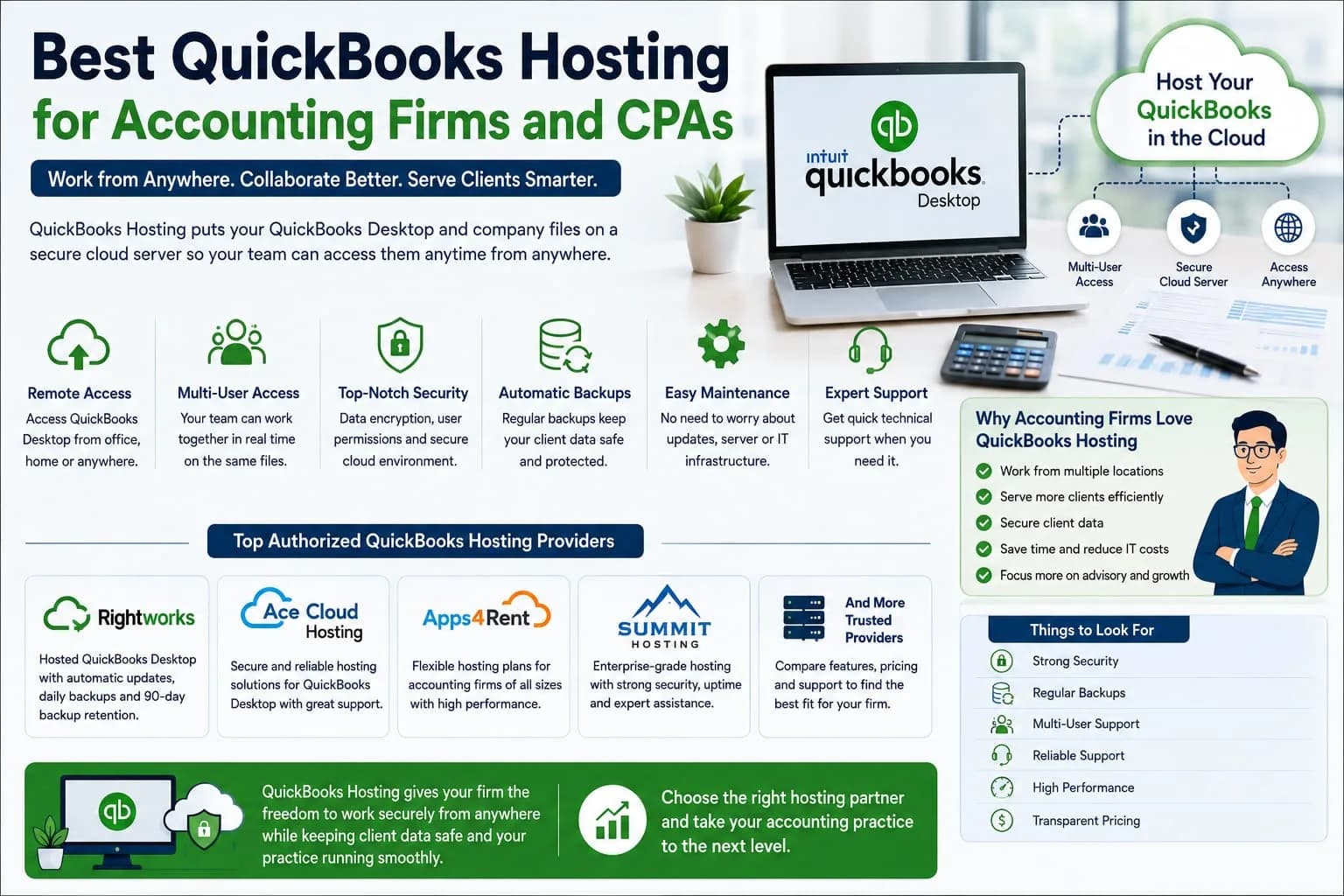
Accounting firms and CPAs work with a lot of financial information every day. They handle client accounts. They prepare reports. They check transactions and help businesses understand their money. Because of this work accountants need accounting software that is easy to access and simple to manage. QuickBooks is a popular choice for many accounting professionals. Some firms use QuickBooks Online while others still prefer QuickBooks Desktop. For firms that want to keep using the desktop version while working from different locations QuickBooks Hosting can be a useful option.
QuickBooks hosting puts QuickBooks Desktop and its company files on a remote server. This allows approved users to access the software through the internet. Intuit currently lists several authorized hosting providers for QuickBooks Desktop. This guide explains what QuickBooks Hosting means and what accounting firms and CPAs should look for when choosing a hosting service.
What Is QuickBooks Hosting
QuickBooks Enterprise Hosting means that your QuickBooks Desktop software and company files are stored on a secure remote server. Instead of keeping everything on one office computer you can connect to the hosted system through the internet. This can be helpful for accounting firms with employees working from different places. For example an accountant may work from the office in the morning and from home later in the day. With a suitable hosted setup the accountant can still access the same QuickBooks environment. Intuit says hosted QuickBooks can allow users to access their company files from different locations. The setup can also support teams working with the same information.
Why Accounting Firms Need Cloud Access
Accounting work does not always happen in one office. CPAs may meet clients in different locations. Accountants may work from home. Some firms have employees in different cities. A traditional computer based setup can make this harder. Cloud hosting gives accountants more freedom. They can connect to their accounting system without being tied to one physical office computer. This can also help firms save time. Employees do not always need to send files back and forth when working on the same hosted system.
What Makes a Good QuickBooks Hosting Provider
There are many hosting companies in the market. Choosing the right one is important because accounting firms deal with valuable financial information. A good provider should offer reliable access. It should have strong security. It should provide regular backups and helpful technical support. Intuit has an official list of authorized QuickBooks Desktop hosting providers. The list includes companies such as Rightworks. Ace Cloud Hosting. Apps4Rent. Summit Hosting and several others. Intuit also makes it clear that being on the authorized list does not mean Intuit guarantees or endorses the service of every provider. This is an important point for accounting firms. Authorization is useful to check. But firms should still compare the services and support offered by each provider.
Rightworks
Rightworks is one of the hosting providers listed by Intuit. Its hosted QuickBooks service allows teams to access QuickBooks Desktop Enterprise company files through an internet connection. The service can also handle software updates and daily data backups. Intuit says Rightworks can keep backups in multiple locations and retain them for 90 days. This can be helpful for accounting firms that want less technical work on their side. The firm can focus more on accounting work while the hosting provider handles much of the hosting environment.
Ace Cloud Hosting
Ace Cloud Hosting is also included in Intuit’s current list of authorized QuickBooks Desktop hosting providers. It can be considered by accounting firms that want a hosted QuickBooks Desktop environment. Before choosing any provider a CPA firm should check its current plans. User limits. Storage options. Backup policy and support service. These details can change over time.
Apps4Rent
Apps4Rent is another provider included in Intuit’s authorized hosting list. Accounting firms can compare its available hosting plans with other providers. The most important thing is not simply choosing a famous name. The hosting service should match the firm’s actual needs. A small firm may need a simple setup. A larger firm may need more users and stronger support.
Summit Hosting
Summit Hosting is also listed by Intuit as an authorized QuickBooks Desktop hosting provider. It can be another option for firms that want to compare hosted QuickBooks services. Before signing up it is smart to ask about security. Backups. Technical support. User access and software compatibility.
QuickBooks Online Accountant
QuickBooks Hosting is not the only choice for CPAs. QuickBooks Online Accountant is made specifically for accounting professionals and firms that work with QuickBooks Online clients. It lets accountants manage multiple client accounts from one platform. Intuit says accountants can access client data from anywhere and use accountant focused tools to manage their work. This can be a better choice for a firm whose clients mainly use QuickBooks Online. The decision depends on what type of QuickBooks software the firm’s clients use.
QuickBooks Hosting vs QuickBooks Online Accountant
The two options work in different ways. QuickBooks Hosting is mainly useful when a firm wants to continue using QuickBooks Desktop through a cloud environment. QuickBooks Online Accountant is designed around QuickBooks Online clients. A firm that works with QuickBooks Desktop clients may prefer hosting. A firm that mostly works with QuickBooks Online clients may find QuickBooks Online Accountant easier. Some firms may work with both types of clients. In that case they may need different tools for different client needs.
Security Should Be a Top Priority
Accounting firms handle private financial information. Security should therefore be one of the first things to check before selecting a hosting provider. Look for strong login protection. User permissions. Data encryption and regular backups. QuickBooks Desktop Enterprise with cloud hosting includes security features such as encryption. Firewalls. User roles and automatic backups. A firm should also create good internal security rules. Employees should use strong passwords. Access should only be given to people who need it. Old user accounts should be removed when employees leave the firm. Simple security habits can make a big difference.
Backup Is Very Important
Imagine an accounting firm loses an important client file. The problem could create stress and waste a lot of time. Regular backups help reduce this risk. Some hosted QuickBooks services provide automatic backups. For example Intuit says Rightworks performs daily backups and keeps copies in multiple locations. Before selecting a provider ask how often backups happen. Also ask how long the backups are stored and how the company can recover data after a problem.
Multi User Access
Accounting firms often have several people working on the same client accounts. One person may handle bookkeeping. Another employee may prepare reports. A CPA may review the final numbers. Cloud hosting can allow multiple approved users to work with the same company information.
QuickBooks Desktop Enterprise with cloud hosting supports simultaneous access for multiple users. It also provides customized user roles and permissions. This can help firms keep work organized. It also helps managers control which parts of the accounting system each employee can use.
Technical Support
Technical problems can slow down accounting work. A good hosting provider should offer support when users face problems with the hosted environment. Intuit explains that hosting providers handle issues related to hosting setup. Installation and basic technical support. QuickBooks specific issues may still need to go through Intuit depending on the problem. Before choosing a provider check its support hours. Also find out whether support is available by phone. Chat or email. Fast support can be especially useful during busy accounting periods.
Performance and Internet Connection
Cloud hosting needs a good internet connection. If the internet is slow then working with hosted software may become frustrating. Intuit also notes that users need a good quality internet connection when using QuickBooks Desktop with hosting. Accounting firms should check their internet speed before moving their main work to the cloud. They should also think about what happens if the office internet stops working. Having a backup internet connection can be useful for businesses that depend heavily on cloud access.
How to Choose the Best Hosting Service
There is no single hosting provider that is best for every accounting firm. Start by checking the number of users. Then look at the QuickBooks version you need. Check storage. Backup rules. Security features and support. Compare the monthly cost with the services included in the plan. Most importantly make sure the provider is suitable for the version of QuickBooks your firm uses. Intuit currently lists authorized hosts for QuickBooks Desktop. Checking this list is a good starting point.
Final Thoughts
QuickBooks Hosting can be a helpful choice for accounting firms and CPAs that want the features of QuickBooks Desktop with the freedom of cloud access. It can help teams work from different locations. It can support multiple users and it can reduce the need to keep accounting software on every office computer. For firms working mainly with QuickBooks Online clients QuickBooks Online Accountant may be a better fit. The best choice depends on the type of clients you serve and the Cloud Hosting Provider products you use.
Before choosing a hosting provider check security. Backups. Support. User access. Performance and total cost. A good hosting setup should make accounting work easier. It should help your team save time while giving clients a reliable and secure service.