QuickBooks Solopreneur Review 2026: Features, Pricing & Pros and Cons
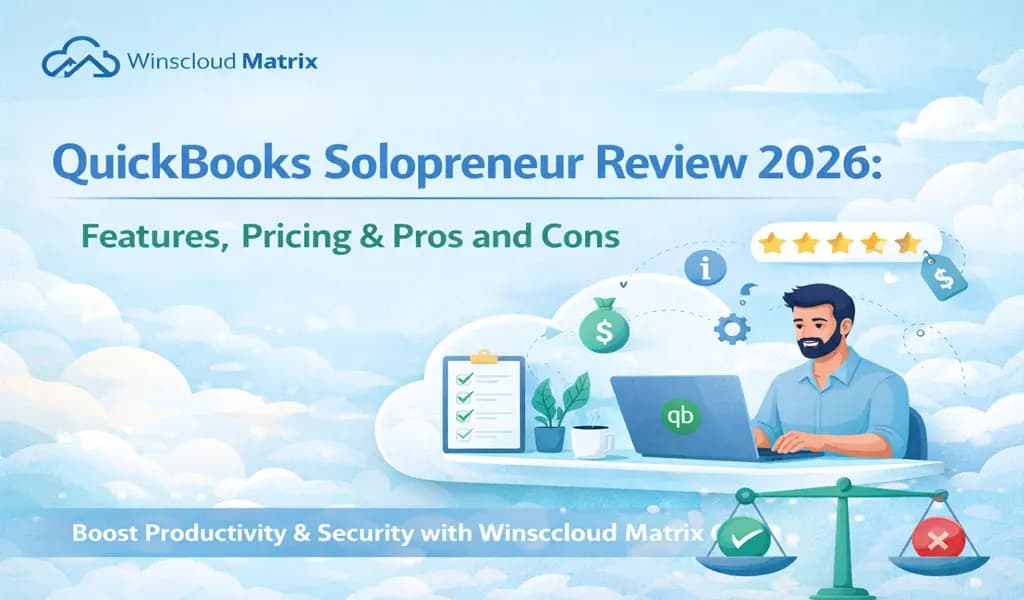
QuickBooks Solopreneur, the revamped version of QuickBooks Self-Employed (QBSE), is built for solo business owners, like freelancers, consultants, contractors, and one-man service providers. It lets you complete basic financial tasks as a one-person business without extra features built for larger teams. It includes income and expense tracking, invoicing, mileage tracking, and automatic bank transaction downloads.
QuickBooks Solopreneur is priced at $20 per month or $120 per year. You can try it for free for 30 days, or sign up right away and get a 50% discount for the first three months. You can access your account through the official QuickBooks Solopreneur login page.
QuickBooks Solopreneur Pros and Cons
| Pros | Cons |
| ✅Designed specifically for one-person businesses | ❌Limited features compared to QuickBooks Online |
| ✅Allows you to separate business and personal transactions for easier bookkeeping | ❌Not ideal for scaling a business |
| ✅Lets you track business miles through its mobile app | ❌Has no double‑entry accounting or customizable chart of accounts. |
| ✅Reportedly easy to navigate and use |
QuickBooks Solopreneur Features
Automatic Business vs. Personal Expense Separation
Solopreneur lets you connect your bank and card accounts so that you can automatically categorize transactions into business and personal. This way, it would be easier for you to track deductible expenses and make sure you’re ready for tax filing without extra work.
Income & Expense Tracking
Another great thing about Solopreneur is that it captures all your money in and out so that you can see profitability and cash flow in an instant. You can filter your expenses by type, business category, or even tax deduction category, which makes it easier for you to understand where your money is going.
Automatic Mileage Tracking
Using the QuickBooks mobile app, your business trips are logged automatically via GPS instead of manually relying on odometer readings. The app then categorizes your trips as business or personal and calculates the applicable tax‑deductible mileage.
Custom Invoices & Estimates
You can create customized invoices and estimates with your company logo and send them directly to your clients from a desktop or phone. What’s more, you can easily convert estimates into invoices. This is a great improvement, as users couldn’t create estimates from within the QuickBooks Self-Employed version.
Online Payment Acceptance
Solopreneur lets clients pay invoices online through multiple methods, including credit and debit cards, PayPal, Apple Pay, Venmo, and ACH bank transfers. That means your clients have several payment options to choose from.
Growth Goal Tracking
Another unique feature of Solopreneur is that you can set financial goals (e.g., revenue targets) and track progress toward them. The program then highlights insights and recommended actions to help you stay on your target.
Sales Tax Calculation & Tracking
Solopreneur automatically calculates sales tax at the time of sale and also tracks any rate changes. However, note that QuickBooks Solopreneur doesn’t directly file taxes.
Mobile App Access Everywhere
The QuickBooks mobile app automatically synchronizes with your account so that you can check finances, track mileage, capture receipts, and send invoices whenever and wherever you are. The good thing is that all changes sync automatically to the cloud, meaning data stays current across devices. This makes Solopreneur a great fit for those who are always on the go.
QuickBooks Checking Integration (Optional)
If needed, you can integrate a QuickBooks Checking account inside QB Solopreneur. There are no monthly fees or minimums, and it provides easier deposit workflows and direct integration with the system.
QuickBooks Solopreneur Cost
According to the official pricing page, QuickBooks Solopreneur costs $20 per month or $120 per year. Those interested can try QuickBooks Solopreneur for free for 30 days or purchase right away and get the 50% discount for the first three months.
A QuickBooks Solopreneur subscription includes one user with accountant access, plus all its features, including the ability to accept payments, create and send invoices, track mileage, and more.
QuickBooks Solopreneur Customer Support
QuickBooks Solopreneur users can seek support through the following channels:
- Help & Assistant: You may use the Help/Assistant tool to search related articles, seek guidance, or take advantage of Talk to an Expert prompts.
- Phone Support: QuickBooks lets you talk to an agent over the phone during set support hours. Users may access phone support via the Contact Us button.
- Live Chat: You can chat with a QuickBooks agent from within the Help area. This way, you can get real‑time responses to different issues, such as setup questions and transaction problems.
- Knowledge Base & Help Center: You may browse through QuickBooks’ searchable Help Center online, packed with product guides, troubleshooting articles, how‑tos, and FAQs.
- Tutorials & Learning Resources: QuickBooks regularly posts video tutorials, step‑by‑step guides, and detailed explanations on the QuickBooks site and even on YouTube.
QuickBooks Solopreneur vs Self-Employed vs QuickBooks Online
Both QuickBooks Solopreneur and QuickBooks Self-Employed offer core features, like invoicing, online payment acceptance, profit and loss reporting, and mileage tracking, but there are some key differences worth noting.
| Features | QuickBooks Solopreneur | QuickBooks Self-Employed |
| Process Partial Payments | ✓ | ✗ |
| Create and Send Estimates | ✓ | ✗ |
| Record and Track Expenses | ✓ | ✗ |
| Assign Tags | ✗ | ✓ |
| Automatic Expense Sorting | ✓ | ✗ |
| QuickBooks Checking Integration | ✓ | ✗ |
| Growth-Tracking Tools | ✓ | ✗ |
| Enhanced “Books to Tax” Experience (built‑in tax filing support with QuickBooks Live Tax powered by TurboTax) | ✓ | ✗ |
| Receipt Capture & Matching | ✗ | ✓ |
| Email Receipt Forwarding | ✗ | ✓ |
Who Should Use QuickBooks Solopreneur?
- Small‑Business Owners Starting Out: Solopreneur is a great fit for small owners who don’t yet require payroll, inventory management, or advanced reporting.
- Independent Contractors and freelancers: We recommend Solopreneur for those who work for themselves and those who need a simple system to track income and expenses and create and send invoices to clients.
- Side-gig workers: Solopreneur is also beneficial for gig workers like delivery workers, ride‑share drivers who need a simple automatic mileage and expense tracking tool.
- New Sole Proprietors: If you are a new one‑person business owner who wants to stay on top of finances, then you may do well will QuickBooks Solopreneur.
- Self‑Employed With Mixed Personal/Business Accounts: As mentioned earlier, system automatically separates business from personal transactions, meaning it helps you simplify tracking when personal and business accounts aren’t separate.
Who Should Seek an Alternative?
- Growing Small Businesses: If you’re hiring staff, need a payroll system, inventory, or advanced financial reports, then Solopreneur’s basic tools might not be enough. Instead, you’ll benefit from more powerful accounting systems like QuickBooks Online.
- Businesses With Multiple Users: Xero is a more scalable accounting software alternative as it supports an unlimited number of users, whereas Solopreneur only supports one.
- Business owners needing free accounting software: If you need a free accounting software to manage basic accounting tasks like invoicing and income and expense tracking, you may consider Wave’s Starter plan instead, which is free to use.
What Users Say About QuickBooks Solopreneur
We’ve checked reviews on leading sites like Capterra, and we found that many QuickBooks Solopreneur users find the software easy to use and efficient for basic bookkeeping. Many users also appreciate its simple income/expense tracking features and like its ability to send and customize invoices. In fact, many of the reviewers recommend it for solo business owners who want basic and simple financial tools.
On the downside, a number of Capterra users dislike that they often encounter glitches. Also, some wish it had more limited features, and there were more documentation support available to users.
Wrap-Up
If you are a one-person business owner who needs a simple way to manage and track your finances, then QuickBooks Solopreneur is a great option for you. It provides all the basic tools you need, like income and expense tracking and invoicing. However, if you are a growing business and need more advanced features, like payroll and inventory management, then we recommend you consider a full-fledged accounting software like QuickBooks Online.