
Drake Tax Online: Pricing, Benefits, Reviews and Login Guide (2026)
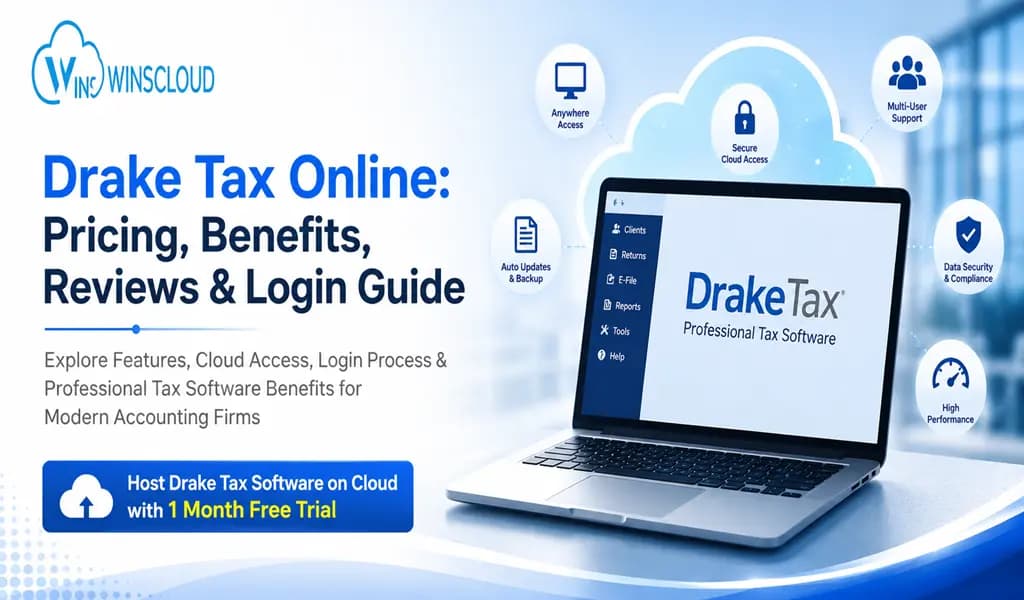
Tax professionals are moving toward browser-based tax software to support remote work, multi-user collaboration, and secure access from anywhere. One of the platforms gaining attention in this shift is Drake Software and its cloud-based solution commonly referred to as Drake Tax Online.
Whether you run a solo CPA practice or a growing accounting firm, understanding how Drake Tax Online works can help you decide if it fits your workflow, compliance requirements, and budget.
In this guide, you’ll learn:
- What Drake Tax Online is
- Key features and benefits
- Pricing details
- Login process
- Real user reviews
- Drake Online vs Desktop comparison
- Drake vs TurboTax comparison
- Frequently asked questions
What Is Drake Tax Online?
Drake Tax is a cloud-accessible version of Drake’s professional tax preparation platform. It allows tax preparers and accounting firms to prepare and file returns remotely through internet-connected systems instead of relying solely on local desktop installations.
The platform supports:
- Individual tax returns
- Business tax returns
- Multi-state filing
- Electronic filing
- Client document management
- Secure remote access
Many firms also use hosted Drake environments through third-party cloud providers for improved remote collaboration and server management.
Also Read: Schedule C Tax Form Explained: Example & How to Fill It Out
Why Drake Tax Online Is Becoming Popular in 2026
Drake Tax Online is becoming increasingly popular among tax professionals, CPAs, and accounting firms because it offers the flexibility of cloud-based tax preparation without requiring complex in-house IT infrastructure. As more firms adopt remote and hybrid work models, cloud-accessible tax software has become essential for managing client returns securely from any location.
Key Reasons Firms Choose Drake Tax Online
1. Remote Access From Anywhere
Drake Tax Online allows tax professionals to securely access client files and tax returns from any internet-connected device. This flexibility is ideal for remote teams, hybrid offices, and seasonal tax preparers who need to work outside a traditional office environment.
2. Multi-User Collaboration
Multiple team members can work within the same hosted environment simultaneously. This improves workflow efficiency during peak tax season and helps firms manage high volumes of returns more effectively.
3. Lower IT Infrastructure Costs
Since the software can be hosted in the cloud, firms do not need to invest heavily in expensive local servers, networking equipment, or dedicated IT maintenance. This makes Drake Tax Online a cost-effective option for small and mid-sized accounting firms.
4. Secure Client Data Protection
Drake Tax Online environments typically include advanced security measures such as encrypted access, firewall protection, multi-factor authentication, and automatic backups. These features help firms protect sensitive taxpayer information and maintain compliance standards.
5. Faster Tax Preparation Workflow
The platform includes productivity-focused tools like keyboard shortcuts, automated calculations, diagnostics, and integrated e-filing. These features help tax preparers complete returns faster and reduce manual errors.
6. Easy Scalability for Growing Firms
As accounting firms expand, Drake Tax Online can accommodate additional users and workloads without requiring major hardware upgrades. This scalability makes it easier for firms to grow their operations over time.
7. Simplified Software Management
Cloud-hosted Drake Tax environments often include automatic updates, system monitoring, and server maintenance handled by the hosting provider. This reduces the administrative burden for accounting firms.
8. Better Business Continuity and Backup
Automatic cloud backups help firms recover data quickly in case of hardware failure, accidental deletion, or cyber incidents. This minimizes downtime and improves operational reliability during tax season.
9. Supports Multi-Location Tax Firms
Firms operating from multiple offices can centralize their tax workflow using Drake Tax Online. Staff members across different locations can securely access the same tax environment and client database.
10. Affordable Alternative to Enterprise Tax Software
Many firms choose Drake Tax Online because it delivers professional tax preparation features at a lower cost compared to larger enterprise tax software solutions like UltraTax Software Hosting or Lacerte hosting.
Main Features of Drake Tax Online in 2026
1. Cloud-Based Remote Access
Drake Tax Online allows tax professionals to access tax returns, client files, and accounting workflows from anywhere using an internet connection. This cloud accessibility supports remote work, hybrid teams, and multi-office tax firms without requiring local server dependency.
2. Professional Tax Return Preparation
This makes Drake Tax Online suitable for both small tax practices and growing accounting firms. The platform supports a wide range of tax return types, including:
- Individual returns (Form 1040)
- Corporate tax returns
- Partnership filings
- S-Corporation returns
- Estate and trust returns
- Nonprofit tax filings
3. Integrated IRS E-Filing
Drake Tax Online includes built-in electronic filing capabilities for federal and state tax returns. Users can submit returns directly from the platform, reducing paperwork and improving filing speed.
Key benefits include:
- Faster processing
- Reduced filing errors
- Return tracking
- Electronic acknowledgements
4. Multi-User Collaboration
Multiple tax preparers can work within the same hosted environment simultaneously. This feature improves productivity during peak tax season and helps firms manage larger client workloads efficiently.
It is especially useful for:
- CPA firms
- Remote accounting teams
- Seasonal staff
- Multi-location offices
5. Secure Client Data Management
These security measures help firms protect sensitive taxpayer information and maintain compliance standards. Security remains a major feature in 2026. Drake Tax Online environments typically include:
- Encrypted connections
- Secure user authentication
- Firewall protection
- Role-based access controls
- Automated backups
6. Automated Backups and Disaster Recovery
Cloud-hosted Drake environments automatically back up tax data regularly. This reduces the risk of losing important client information due to hardware failure, accidental deletion, or cyber incidents.
7. Built-In Productivity Tools
These tools help tax professionals complete returns faster while reducing manual entry errors. Drake Tax Online includes workflow-enhancing tools such as:
- Keyboard shortcuts
- Automated calculations
- Error diagnostics
- Tax form autofill
- Data transfer features
8. Client Portal Integration
This improves communication between firms and clients while reducing reliance on email attachments. Many Drake Tax Online setups include secure client portals where clients can:
- Upload tax documents
- Download completed returns
- Exchange sensitive files securely
- Review e-signature requests
9. Multi-State Tax Filing Support
The software supports filing across multiple states, making it useful for firms serving clients in different jurisdictions or businesses operating nationwide.
10. Hosting and Scalability Options
Drake Tax Online can scale as firms grow. Additional users, storage, and computing resources can often be added without major infrastructure changes.
This flexibility supports:
- Growing tax firms
- Expanding client bases
- Temporary seasonal scaling
11. Simplified Software Updates
Unlike traditional desktop installations, cloud-hosted Drake Tax environments often include automatic software updates and maintenance handled by the hosting provider. This reduces downtime and administrative workload.
12. Paperless Workflow Support
Drake Tax Online supports digital document management and paperless tax preparation processes, helping firms improve organization and reduce physical paperwork.
Benefits include:
- Faster document retrieval
- Improved workflow efficiency
- Easier client communication
- Better record management
13. Compatibility With Hosted Environments
Many accounting firms use Drake Tax Online through third-party hosting providers, which can offer additional features such as:
- Dedicated servers
- Virtual desktops
- 24/7 monitoring
- Enhanced compliance support
- Centralized management
14. Workflow Efficiency for High-Volume Firms
Drake Tax is known for fast navigation and streamlined tax preparation workflows. Experienced users often prefer it for handling large numbers of returns efficiently during busy filing seasons.
15. Affordable Professional Tax Software
Compared to some enterprise-level tax software platforms, Drake Tax Online remains a more budget-friendly option while still offering professional-grade tax preparation tools and cloud accessibility.
Drake Tax Online Pricing (2026)
Drake pricing varies based on package type, user count, and deployment method.
According to software review platforms, Drake Tax pricing commonly starts around:
- Approximately $349.99+ for entry-level plans
- Additional charges may apply for:
- Hosting
- Portals
- E-signatures
- Multi-user access
- Cloud deployment
Some hosting providers charge monthly fees depending on the number of users and resources required. One industry source reports hosted environments beginning around $104 per user monthly.
Additional Costs to Consider
Drake Portals
Users on Reddit reported Drake Portals pricing increasing to:
- $49.95 monthly
- $349.95 annually
E-Signature Pricing
Community discussions indicate pricing based on signature volume:
- 5–9 signatures: $5 each
- 10+: lower per-signature cost tiers
How to Login to Drake Tax Online
Step 1: Visit the Official Website Drake Software Login Portal
Step 2: Enter Credentials
- Username
- Password
- Security verification (if enabled)
Step 3: Access Dashboard
After authentication, users can access:
- Client returns
- Tax forms
- Filing status
- Reports
- Document portals
Login Tips
- Use updated browsers
- Enable two-factor authentication if available
- Avoid public Wi-Fi for sensitive tax data
- Keep credentials secure
Drake Tax Online Reviews (2026)
User feedback for Drake Tax is mixed but generally positive among small and mid-sized accounting firms.
Overall Ratings
Review platforms show average ratings around:
- 3.8/5 on GetApp
- 3.8/5 on Capterra
- 4.5/5 on Tekpon
What Users Like About Drake Tax
Affordable Compared to Competitors
Many firms appreciate Drake’s lower pricing relative to enterprise-level tax software.
Efficient Data Entry
Users frequently mention:
- Keyboard shortcuts
- Fast navigation
- Workflow efficiency
Strong for Small Firms
Solo tax preparers and smaller CPA firms often find Drake cost-effective and practical.
Common Complaints About Drake Tax
- Outdated User Interface: Several reviewers say the interface feels older compared to newer cloud-native competitors.
- Learning Curve: New users may need time to understand Drake’s workflow and shortcuts.
- Customer Support Concerns: Some Reddit and review-platform users reported slower support responses during tax season.
- Online Version Limitations: Some professionals believe the online version still works best for basic returns rather than highly complex workflows.
Drake Tax Online vs Drake Desktop
| Feature | Drake Online | Drake Desktop |
| Access | Browser/cloud access | Installed locally |
| Remote work | Easier | Requires hosting/VPN |
| Performance | Depends on internet | Typically faster |
| Mobility | Better | Limited |
| Advanced workflow | Improving | More mature |
| Setup complexity | Lower | Higher |
Which One Is Better?
- Choose Drake Online if you need:
- Remote access
- Flexible collaboration
- Reduced IT maintenance
- Choose Drake Desktop if you prioritize:
- Maximum speed
- Advanced workflow features
- Local control
Several experienced users on Reddit still prefer Drake hosting as a desktop version rather than online for complex tax preparation workflows.
Drake Tax vs TurboTax
| Feature | Drake Tax | TurboTax |
| Target users | Tax professionals | Individuals & small businesses |
| Multi-user support | Yes | Limited |
| Bulk return preparation | Strong | Less suitable |
| Pricing model | Professional packages | Per-user/per-return |
| Learning curve | Moderate to high | Beginner-friendly |
| Advanced tax forms | Extensive | Limited for professionals |
Which Is Better?
Drake Tax Is Better For:
- CPA firms
- Tax preparers
- Accounting businesses
- Multi-client workflows
TurboTax Is Better For:
- Individual taxpayers
- Beginners
- Simple returns
- DIY filing
Is Drake Tax Online Worth It?
Drake Tax Online is a strong option for:
- Small to mid-sized accounting firms
- Remote tax teams
- Seasonal preparers
- Firms wanting cloud accessibility
It may not be ideal for firms needing highly advanced enterprise-level automation or ultra-modern interfaces, but it remains one of the more affordable professional tax software solutions available.
The biggest advantages are:
- Cost efficiency
- Remote accessibility
- Strong tax form support
- Workflow speed for experienced users
Frequently Asked Questions
How much does Drake Tax Online cost?
Pricing varies depending on the package, hosting setup, number of users, and optional services. Entry-level pricing is commonly reported around $349.99+, while hosted cloud environments may charge monthly per-user fees.
Does Drake tax software have an online version?
Yes. Drake offers a cloud-accessible online solution that allows tax professionals to access returns remotely through internet-connected systems.
Is Drake tax desktop better than online?
For many experienced tax professionals, the desktop version is still considered faster and more feature-complete for complex returns. However, the online version offers better remote access and flexibility.
Is Drake tax software better than TurboTax?
For professional tax preparers and accounting firms, Drake Tax generally offers more advanced professional workflow features. TurboTax is better suited for individual taxpayers and beginners.
Final Thoughts
Drake Tax Online continues to grow as accounting firms adopt remote and cloud-based tax workflows. While some professionals still prefer desktop environments for speed and advanced functionality, the online version offers flexibility that modern firms increasingly need.