Is Cloud Hosting Safe for QuickBooks and Tax Data?
Businesses have changed the way they work. Accounting teams no longer need to sit in the same office every day, and tax professionals often work from home, meet clients, or manage their work from different locations. Every accounting firm has different requirements. A small bookkeeping company may need only a few users, while a larger CPA firm could require access for an entire team.
This has made cloud hosting an attractive option for businesses that use accounting and tax software. But when financial records and client tax information are involved, one question naturally comes up:
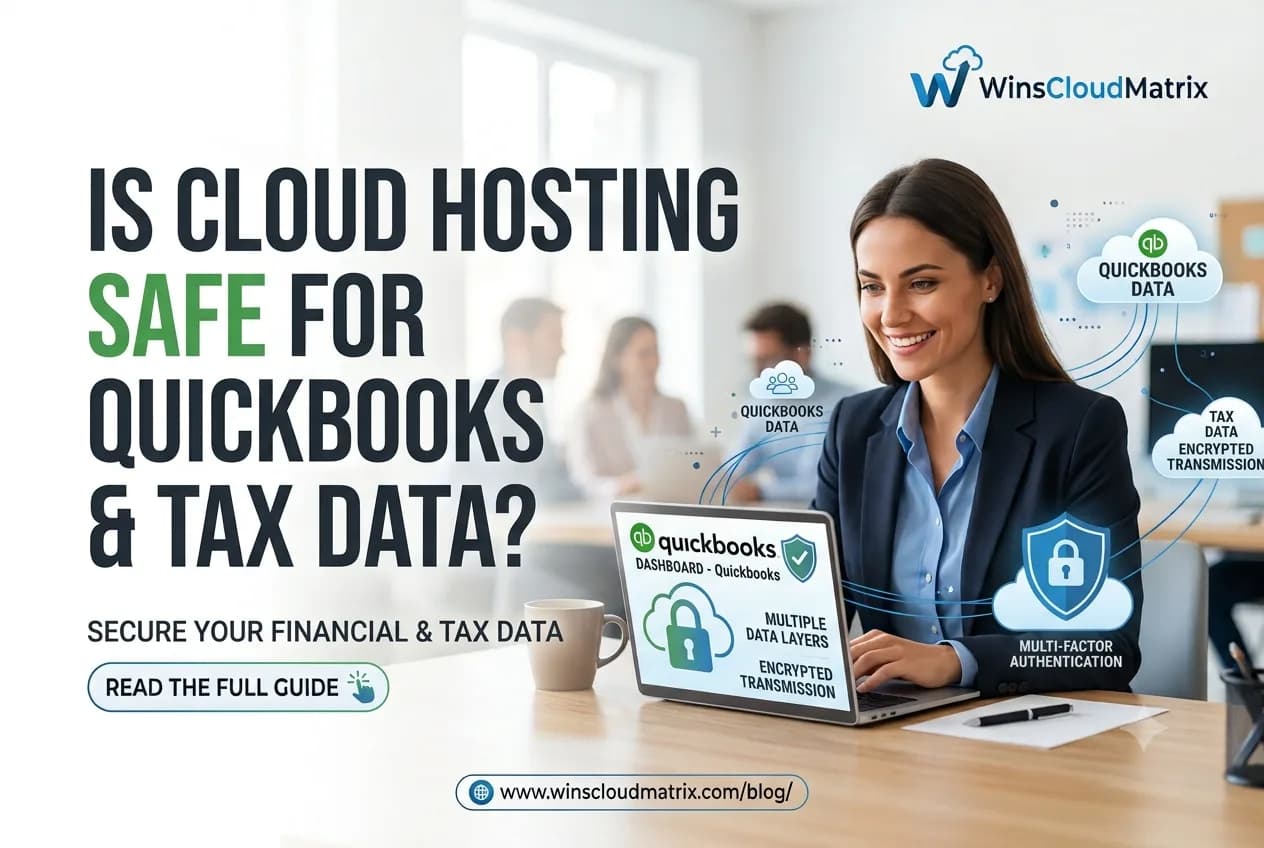
Is cloud hosting actually safe for QuickBooks and tax data? The short answer is yes, cloud hosting can be a safe option, but security depends on how the hosting environment is designed, managed, and used.
Why QuickBooks and Tax Data Need Strong Security
Accounting and tax software can contain some of the most sensitive information a business handles. This may include financial records, customer information, tax returns, payroll details, invoices, and other confidential documents. If this information is stored only on a local computer, the business is responsible for protecting that computer and its data. Hardware failure, theft, malware, accidental deletion, or other problems can create serious risks. Cloud hosting changes where the software and data are managed, but security should still be a major consideration when selecting a hosting provider.
How Cloud Hosting Protects Business Data
A professional hosting environment can include several layers of protection. Winscloud Matrix help businesses access their essential applications remotely while supporting flexible workflows and team collaboration. Our hosting solutions are designed for professionals who need reliable access to accounting, tax, and business applications from different locations.
Data Encryption
Encryption helps protect information while it is being transferred and stored. If data is intercepted without authorization, encryption makes it much harder to read. When comparing hosting providers, businesses should ask what type of encryption is used and where it is applied.
User Access Controls
Not every employee needs access to every accounting file or application. User permissions allow businesses to control who can access the hosted environment. This is especially important for accounting firms with multiple employees or clients. Each employee should ideally have their own login rather than sharing one account.
Multi-Factor Authentication
Passwords are important, but they are not always enough. Multi-factor authentication adds another verification step when someone logs in. Even if a password is compromised, an additional authentication requirement can make unauthorized access more difficult. Businesses should consider hosting providers that support strong authentication options.
Are QuickBooks Files Safe in the Cloud?
QuickBooks contains important financial information, so businesses should carefully evaluate the hosting environment before moving their software. With QuickBooks Hosting, the QuickBooks application can be hosted on remote servers, allowing authorized users to access it from different locations.
This can be useful for accounting teams that need remote access without keeping their entire workflow tied to one office computer. However, simply hosting QuickBooks in the cloud does not automatically make the data secure. The provider’s security practices, backup policies, access controls, and infrastructure all matter.
What About Tax Data?
Tax information can be even more sensitive because it may contain personal and financial details about clients. Professionals using applications such as Drake Tax, Lacerte, ProSeries, or other tax software should pay close attention to how their hosting provider handles security. Modern accounting firms need technology that can keep up with changing work environments. Remote access, collaboration, security, and flexibility have become important considerations when selecting business software infrastructure.
For example, Drake Tax Hosting can provide remote access to Drake Tax in a hosted environment. Before selecting a service, tax professionals should understand how access is protected and how their data is backed up.
Backups Are Just as Important as Security
Security protects data from unauthorized access, but backups help protect it from loss. Imagine a computer fails just before an important tax deadline. If important files exist only on that computer, recovering the information can be difficult. A reliable hosting environment may provide regular backups so that data can be recovered if something goes wrong.
However, backup policies differ between providers. Businesses should ask:
- How frequently are backups performed?
- How long are backups retained?
- Where are backups stored?
- Can deleted files be recovered?
- How is backup data protected?
These questions can help businesses understand what protection they actually receive.
Cloud Hosting vs. Storing Data on a Local Computer
A local computer is not necessarily unsafe. With proper security, backups, updates, and access controls, businesses can protect locally stored information. The challenge is that the responsibility falls heavily on the business. Cloud hosting can shift some infrastructure responsibilities to a hosting provider. The provider manages the hosting environment while the business manages its users, passwords, devices, and other responsibilities.
For businesses that want access to a complete hosted work environment, Remote Desktop Hosting can also provide another approach to remote access.
What Should You Look for in a Cloud Hosting Provider?
Choosing the right provider is more important than simply choosing the cheapest plan. Before signing up, consider the following: A small bookkeeping company may have only a few users, while a growing accounting firm may require access for a larger team. Some businesses may need only accounting software, whereas others may need several applications hosted together.
1. Security Practices
Ask how the provider protects customer data and what security controls are available. The right approach depends on the organization’s workflow and whether it needs application-specific hosting or a broader remote desktop environment.
2. Backup Policy
Understand how often backups are performed and how data can be restored. A hosted environment can make this process more convenient by allowing authorized team members to access the required application remotely.
3. Access Management
Check whether individual user accounts, permissions, and multi-factor authentication are supported. Remote work has become common across many industries, including accounting and bookkeeping.
4. Software Compatibility
Make sure the hosting environment supports the exact version of QuickBooks or tax software your business uses. Cloud hosting allows accounting applications to operate in a hosted environment that authorized users can access remotely.
5. Technical Support
Accounting and tax professionals often work under strict deadlines. Responsive technical support can be important when an issue occurs. With Winscloud Matrix, businesses can explore cloud-based hosting options based on their software, users, security requirements, and remote work needs.
6. Infrastructure and Reliability
Look for information about server availability, monitoring, maintenance, and disaster recovery. A small cloud business may have different requirements from a large accounting firm. Similarly, a tax professional working independently may need a different setup than a team handling hundreds of clients.
The Role of Employees in Data Security
Even the best cloud infrastructure cannot protect a business from every security mistake. Employees should follow basic security practices, including:
- Using strong and unique passwords
- Enabling multi-factor authentication where available
- Avoiding suspicious links and attachments
- Keeping computers and browsers updated
- Not sharing login credentials
- Locking devices when they are unattended
- Avoiding sensitive work on unsecured public networks
Security is a shared responsibility between the hosting provider and the people using the system. Cloud hosting is changing how accounting and tax professionals approach remote work. Instead of relying entirely on software installed on a single office computer, businesses can explore hosted environments that provide greater flexibility and remote accessibility.
Is Cloud Hosting Right for Your Business?
Cloud hosting can be a good option for accounting firms, tax professionals, bookkeepers, and businesses that need flexible access to their applications. It can make remote work easier while providing access to managed infrastructure, backups, and security features. For businesses using several applications, working with an Application Hosting Provider can also be worth considering. The important thing is to understand exactly what the provider offers before moving sensitive business data.
Finding the Right Cloud Hosting Provider in Your Area
Businesses and accounting professionals often look for reliable cloud hosting services close to their location. Whether you operate in Mooresville, Salisbury, Christiansburg, or another city, the right hosting provider can help you access business applications securely and work remotely.
Cloud Hosting Providers in Mooresville
Businesses searching for cloud hosting providers in Mooresville can consider solutions that offer reliable remote access, secure infrastructure, and support for accounting and business applications.
Cloud Hosting Providers in Salisbury
For businesses looking for cloud hosting providers in Salisbury, choosing a provider with flexible hosting options can make it easier for teams to access their applications from the office or remotely.
Cloud Hosting Providers in Christiansburg
Professionals searching for cloud hosting providers in Christiansburg may benefit from cloud solutions that support remote work, application access, data protection, and business continuity.
Cloud Hosting Providers in Silver Spring
When comparing cloud hosting providers in Silver Spring, businesses should consider factors such as security, performance, technical support, backups, and compatibility with their existing applications.
Cloud Hosting Providers in Statesville
Businesses looking for cloud hosting providers in Statesville can explore hosting solutions designed to provide convenient access to accounting, tax, and other business applications from different locations.
Cloud Hosting Providers in Highland
For companies searching for cloud hosting providers in Highland, a reliable cloud environment can provide greater flexibility for employees and professionals who need to work remotely.
Cloud Hosting Providers in Chevy Chase
Businesses researching cloud hosting providers in Chevy Chase should look beyond pricing and evaluate security, accessibility, user management, backups, and technical support before selecting a service.
Cloud Hosting Providers in Salem
Professionals looking for cloud hosting providers in Salem can explore cloud-based solutions that allow authorized users to access their essential business applications without being tied to a single office computer.
Cloud Hosting Providers in Mesa
When comparing cloud hosting providers in Mesa, businesses should choose a solution based on their software requirements, number of users, security needs, and remote access requirements.
Cloud Hosting Providers in Olney
Businesses searching for cloud hosting providers in Olney can benefit from evaluating providers that offer dependable infrastructure, secure remote access, application compatibility, and responsive technical support.
Final Thoughts
So, is cloud hosting safe for QuickBooks and tax data? It can be. In many cases, a professionally managed cloud environment can provide strong security, controlled access, backups, and reliable remote access. But security should never be assumed simply because a service uses the word “cloud.”
Businesses should compare providers carefully and look at security measures, backup policies, authentication, software compatibility, support, and overall infrastructure. For accounting and tax professionals, the goal should be simple: choose a hosting environment that provides convenient access without compromising the protection of sensitive financial information.