
Sage 100 Contractor: Complete Guide to Features, Pricing, Updates, and Hosting
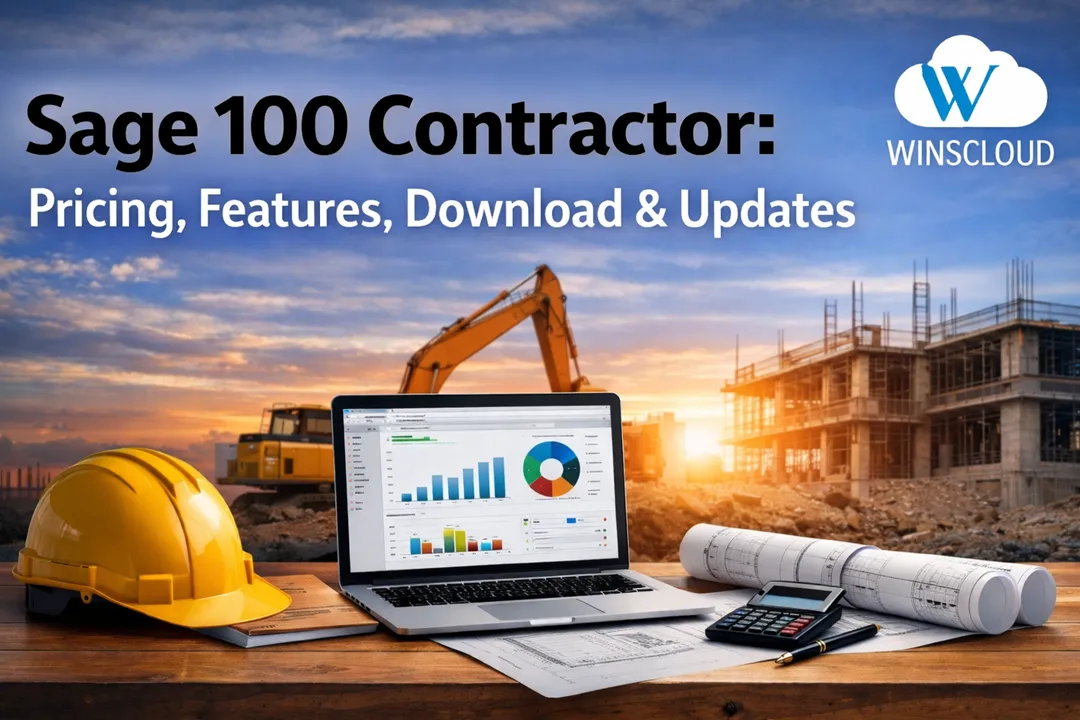
Sage 100 Contractor is a robust accounting and project management solution designed specifically for construction companies in the United States. Built to address the unique financial, operational, and compliance needs of contractors, it helps manage job costing, estimating, payroll, project management, and reporting from a single platform.
Whether you are a small specialty contractor or a growing general contractor, Sage 100 Contractor provides the tools needed to improve cost control, increase visibility, and maintain profitability across projects.
What Is Sage 100 Contractor?
Sage 100 Contractor is construction-specific accounting software developed by Sage to support contractors, builders, and construction firms. Unlike general accounting systems, it is tailored for construction workflows such as progress billing, certified payroll, subcontractor management, and detailed job cost tracking.
It is commonly used by:
- General contractors
- Subcontractors
- Residential and commercial builders
- Construction management firms
The software helps contractors stay compliant with U.S. labor laws, IRS tax regulations 2026, and reporting requirements while streamlining day-to-day operations.
Key Features of Sage 100 Contractor
It includes a wide range of features designed for the construction industry:
- Job Cost Accounting – Track costs by phase, cost code, and job
- Estimating & Project Management – Convert estimates into active jobs
- Construction Payroll – Support for prevailing wage and certified payroll
- Progress Billing – AIA billing and retainage management
- Accounts Payable & Receivable – Manage vendors, subcontractors, and clients
- Financial Reporting – Real-time insights into job profitability and cash flow
How Much Does Sage 100 Contractor Cost?
The price ranges from $115 to $200 per user per month under a subscription model. Perpetual licenses may involve a higher upfront cost plus annual maintenance fees.
Pricing typically depends on:
- Number of users
- Licensing model (subscription or perpetual)
- Hosting option (on-premise or cloud)
- Add-ons and integrations
Note: Pricing can vary by reseller and configuration, so contractors should request a customized quote based on business size and requirements.
How to Download Sage 100 Contractor
Sage 100 Contractor is available for download through authorized Sage partners or resellers. The download includes installation files for on-premise deployment or can be used as part of a hosted/cloud setup.
Important considerations before downloading:
- Verify system requirements (Windows environment)
- Confirm license type and version
- Ensure backup and security protocols are in place
Most businesses prefer working with a Sage partner to ensure proper installation and configuration.
Sage 100 Contractor Download (Step-by-Step)
- Contact an Authorized Sage Partner
Request a quote and confirm your licensing model (subscription or perpetual). - System Review & Version Selection
The partner will verify system requirements and recommend the correct version based on your business size and needs. - Receive Secure Download Access
Once licensed, you will receive access to the official Sage 100 Contractor installation files. - Installation & Configuration
- Install on a local server for on-premise use, or
- Deploy via a cloud or hosted environment for remote access
- Data Setup & User Configuration
Company data, user roles, and permissions are configured to match your operational structure.
Best Practice: Most U.S. contractors choose hosted deployment with professional setup to avoid downtime and configuration errors.
How to Update Sage 100 Contractor
Keeping your software up to date is critical for performance, security, and compliance.
- Back up all company data
- Download the latest update from an authorized source
- Install updates on the server first, then workstations
- Verify version compatibility with integrations and add-ons
- Test functionality after the update
Regular updates ensure access to new features, bug fixes, and regulatory changes affecting U.S. contractors.
Sage 100 Contractor Integration Options
It supports integration with several third-party applications to extend its functionality.
- CRM systems
- Project management tools
- Estimating software
- Payroll and HR platforms
- Document management systems
These integrations help reduce manual data entry, improve accuracy, and create a more connected construction technology ecosystem.
Difference Between Sage 100 and Sage 100 Contractor
Although the names are similar, but both are designed for very different business needs.
Sage 100 vs Sage 100 Contractor: Key Differences 2026
| Feature | Sage 100 | Sage 100 Contractor |
|---|---|---|
| Target Industry | Manufacturing, distribution, general business | Construction & contracting |
| Job Costing | Limited | Advanced, construction-specific |
| Payroll | Standard payroll | Certified & prevailing wage payroll |
| Progress Billing | Basic | AIA billing, retainage, job-based billing |
| Compliance | General accounting | U.S. construction compliance |
| Estimating | Not construction-focused | Built-in estimating |
| Best For | Non-construction businesses | Contractors, builders, subcontractors |
Which One Should You Choose?
- Choose Sage 100 hosting if you are a distributor or manufacturer.
- Choose Sage 100 Contractor if you manage construction projects, job costs, subcontractors, and certified payroll in the U.S.
Sage 100 Contractor Hosting
It allows the software to run on secure cloud servers, providing anytime access, enhanced data security, automatic backups, and reduced IT overhead.
Benefits of Hosted Sage 100 Contractor
- Access from anywhere in the U.S.
- Improved data security and backups
- Reduced IT infrastructure costs
- Automatic updates and maintenance
- Better performance for multi-user environments
Hosting is ideal for companies with remote teams, multiple job sites, or growing operational complexity.
Is Sage 100 Contractor Right for Your Business?
Yes, It is best suited for construction companies that need advanced job costing, payroll compliance, and financial control. It is particularly valuable for U.S. contractors managing multiple projects, union payroll, or detailed reporting requirements.
If your business is outgrowing basic accounting software, It provides a scalable and industry-specific solution.
Conclusion
It is a powerful construction accounting and management platform designed for the U.S. construction industry. From detailed job costing and payroll to flexible hosting and integrations, it delivers the tools contractors need to operate efficiently and profitably.
Understanding what Sage 100 Contractor is, how much it costs, how to update it, and how hosting and integrations work allows contractors to make informed decisions and maximize their investment in the software.
Frequently Asked Questions
What is Sage 100 Contractor used for?
It is used by construction companies to manage job costing, accounting, payroll, estimating, billing, and project management in one integrated system.
How much is Sage 100 Contractor per month?
The pricing typically ranges from $115 to $200 per user per month, depending on licensing, hosting, and required features.
Is Sage 100 Contractor cloud-based?
Sage 100 Contractor is traditionally an on-premise application but is commonly deployed through cloud hosting, allowing secure remote access and improved performance.
How do I update Sage 100 Contractor?
Updates are performed by downloading the latest version from an authorized Sage partner, backing up data, installing the update on the server first, and then updating all workstations.
Can Sage 100 Contractor integrate with other software?
Yes. it supports integration with estimating tools, CRM systems, payroll services, document management platforms, and project management software.
Is Sage 100 Contractor good for small contractors?
Yes. it is suitable for small to mid-sized contractors who need detailed job costing, compliance-ready payroll, and scalable accounting tools.