

QuickBooks Error PS038: What is It, Root Causes, and Expert Solutions
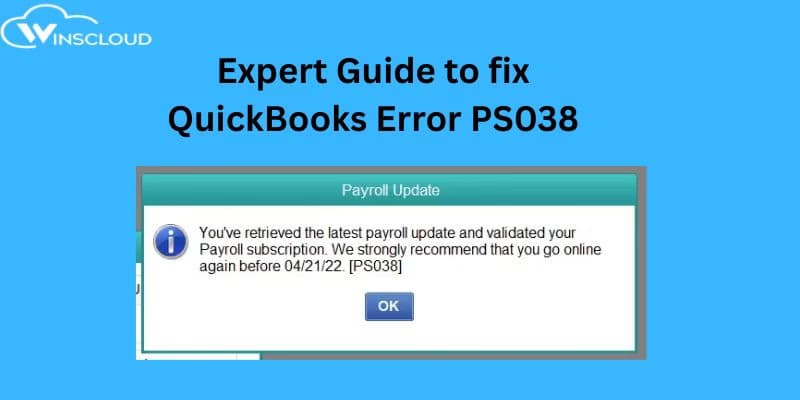
QuickBooks is one of the most reliable accounting tools for managing payroll, taxes, and employee payments. However, sometimes users face payroll update issues like QuickBooks Error PS038, which prevents sending pay checks or updating payroll data.
If you’re seeing this message: “QuickBooks has encountered a problem sending your usage data. Please try again later. [Error PS038]” If you’ve encountered this issue, don’t worry — this guide from Winscloud QuickBooks Hosting Experts will help you understand what it is, why it occurs, and how to fix it quickly.
What is QuickBooks Error PS038?

QuickBooks Error PS038 occurs when pay checks are stuck as “Online to Send” in QuickBooks Desktop Payroll. This prevents payroll updates, sending usage data, or processing paychecks online. In simple terms, QuickBooks is trying to send payroll data to Intuit’s server but cannot complete the process due to data or connection issues.
Root Causes of QuickBooks Error PS038
Here are the primary reasons why this error appears:
- Paychecks stuck in “Online to Send” status in the payroll center.
- Outdated QuickBooks Desktop or Payroll Tax Table.
- Damaged or corrupted company data file (QBW).
- Unstable internet connection or firewall restriction.
- Invalid or expired payroll subscription.
- Pending or unsent paychecks in payroll data.
System Requirements to Avoid Payroll Errors
Make sure your system meets these recommended requirements to ensure smooth payroll processing and prevent errors like PS038:
| Component | Minimum Requirement | Recommended for Best Performance |
|---|---|---|
| Operating System | Windows 10 or later (64-bit) | Windows 11 (64-bit) |
| Processor | 2.4 GHz | 3.0 GHz or higher |
| RAM | 8 GB | 16 GB |
| Disk Space | 2.5 GB (for installation) | SSD with 4 GB free space |
| Internet | Broadband connection | High-speed wired connection |
| Microsoft .NET Framework | 4.8 or later | Latest version installed |
| QuickBooks Version | 2021 or later | Latest QuickBooks Desktop + Payroll Update |
Pro Tip: Always keep QuickBooks Desktop and Payroll updated to avoid compatibility or connection issues.
6 Easy Steps to Fix QuickBooks Error PS038 by Expert
Before you begin, create a backup of your company file. Follow these steps to fix the error effectively:
Step 1: Update QuickBooks and Payroll
- Open QuickBooks Desktop.
- Go to Help → Update QuickBooks Desktop → Update Now.
- Select Get Updates, and once completed, restart QuickBooks.
- Update your Payroll Tax Table to the latest version.
Step 2: Verify and Rebuild Company Data
- Navigate to File → Utilities → Verify Data.
- If errors are found, choose Rebuild Data.
- Follow on-screen prompts to fix data corruption issues.
- Re-run the Verify Data tool to ensure all issues are resolved.
Step 3: Identify and Resend Stuck Paychecks
- Go to Employees → Payroll Center → Transactions → Paychecks.
- Filter for Online to Send.
- Double-click each stuck paycheck and re-save it.
- Then go to Employees → Send Payroll Data → Send All.
Step 4: Verify Payroll Subscription
- Click Employees → My Payroll Service → Account/Billing Information.
- Sign in with your Intuit account credentials.
- Ensure your subscription is active and linked to the correct EIN.
- Close and reopen QuickBooks.
Step 5: Run QuickBooks as Administrator
- Close QuickBooks.
- Right-click the QuickBooks icon → Run as Administrator.
- Try sending payroll data again.
- This bypasses permission or firewall restrictions.
Step 6: Check the QBWin.log File (Advanced Users)
If the error persists:
- Open the QBWin.log file (found in the QuickBooks installation directory).
- Search for “PS038” to locate problematic transactions.
- Note the transaction IDs and correct them manually, or contact technical support for help.
Also Read: QuickBooks Hosting Mode is Off
Frequently Asked Questions (FAQs)
1. What does QuickBooks Error PS038 mean?
It indicates that payroll data or paychecks are stuck while trying to be sent to Intuit’s server, often due to outdated payroll or data corruption.
2. How do I check which paychecks are stuck in QuickBooks?
Go to Payroll Center → Transactions → Paychecks → Filter → Online to Send.
These are the paychecks causing the PS038 error.
3. Can QuickBooks Error PS038 affect payroll processing?
Yes. It can prevent payroll from being sent, updated, or synced with Intuit’s payroll servers.
4. Does rebuilding data in QuickBooks fix this error?
Yes, running Verify Data and Rebuild Data often fixes damaged data causing PS038.
5. How can I prevent QuickBooks PS038 in the future?
- Keep QuickBooks and Payroll up-to-date.
- Maintain a stable internet connection.
- Regularly back up your company file.
- Avoid interrupting payroll transmission once it starts.
Conclusion
QuickBooks Error PS038 usually occurs when paychecks get stuck or payroll data fails to upload due to connectivity or data file issues. By updating QuickBooks, verifying data, and re-sending paychecks, you can usually resolve it without needing to reinstall the software.
However, if you’re still facing payroll update failures, our certified QuickBooks experts can help you fix it safely and quickly. Let the Winscloud technical team handle it for you. Email: info@winscloudmatrix.com, Phone: +1 714-882-1244