



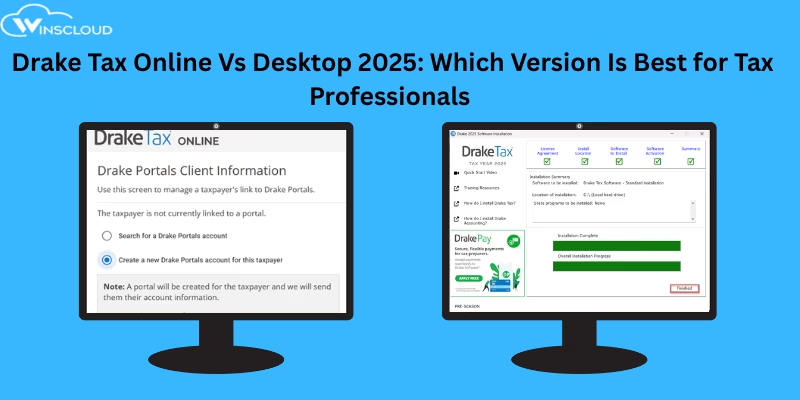
Drake Tax Online vs Desktop 2026: Which Version Is Best?
Choosing the right tax preparation platform Drake tax online vs desktop in 2026 is critical for efficiency, accuracy, and workflow comfort. Drake Software offers two primary solutions Drake Tax Online and Drake Tax Desktop and each caters to different types of tax professionals. While one delivers cloud-powered convenience, the other offers unmatched depth for complex returns.
In this detailed comparison, we break down the differences so you can make the right decision for your practice.
What Is Drake Tax Online?
Drake Tax Online is a cloud-based version of Drake Software that allows tax professionals to prepare, file, and manage tax returns entirely through a web browser. It requires no installation and can be accessed from any device with an internet connection.
Drake Tax Online automatically handles updates, backups, and security in the cloud, making it ideal for remote work, simple 1040 returns, and firms that want flexibility without managing local software.
What Is Drake Tax Desktop?
Drake Tax Desktop is the locally installed, full-featured version of Drake Software designed for professional tax preparers handling high volumes of personal and complex business returns. It provides comprehensive form support, faster local performance, advanced data-sharing between return types, and deep integrations.
Drake Tax Desktop requires installation, manual updates, and local or hosted storage but offers the highest level of functionality and control.
Both options are designed to simplify tax workflows—but they differ significantly in accessibility, features, and overall flexibility.
Feature Comparison: Drake Tax Online vs Desktop
Below is a clear breakdown of the core differences between Drake tax online vs desktop:
1. Accessibility
- Drake Tax Online: Accessible from anywhere—laptop, tablet, or even smartphone. No hardware dependence, making it perfect for remote or hybrid teams.
- Drake Tax Desktop: Installed on a specific computer or network. Remote access requires third-party or cloud hosting, which adds extra cost.
2. Installation & Maintenance
- Online: Nothing to install. Drake manages updates, security patches, and backups directly in the cloud.
- Desktop: Requires installation, local machine resources, manual updates, and onsite or offsite backup planning.
3. User Interface & Workflow
- Drake Tax Online: Offers a modern interface with cleaner layouts and simplified workflows. Some seasoned users note it “thinks differently” from the desktop version.
- Drake Tax Software Desktop: Interface may appear dated, but it is extremely efficient. Its intuitive flow of data between forms is highly appreciated by longtime Drake users.
4. Supported Return Types
- Online: Best suited for individuals or firms focusing primarily on 1040 and simple business returns.
- Desktop: Designed for larger practices handling high volumes of both personal and corporate returns. It offers more extensive data-sharing between return types.
5. Integrations
- Online: Integrates with select desktop features and supports data conversion, e-signatures, and secure file exchange via Drake Portals.
- Desktop: Comes with full integration capabilities, including 4,300+ federal and state forms, Drake Portals, Grunt Worx automation, and more.
Key Considerations Before Choosing Drake Tax Online Vs Desktop
1. Mobility Needs
If you work remotely, travel frequently, or run a distributed tax team, Drake Tax Online is the more flexible choice.
2. Return Complexity
High-volume firms dealing with complex corporate returns, partnerships, S-corps, and intricate multi-state filings will get more control and depth with the Desktop version.
3. Maintenance Preferences
If you prefer to avoid installations, updates, and server maintenance, the Online version removes all technical headaches. If you want more customization and local control, Desktop remains superior.
4. Hybrid Setup
Drake Tax Online includes access to a limited desktop version for functions not yet supported in the cloud. This hybrid setup is ideal for firms transitioning gradually to cloud workflows.
Drake Tax Online Vs Desktop: Which One Should You Choose?
| Choose Drake Tax Online if… | Choose Drake Tax Desktop if… |
|---|---|
| You want full mobility. | You prepare complex personal and business returns. |
| You don’t want to manage software updates. | You need extensive form support and deep integrations. |
| You work with small firms or simple returns. | You handle high volumes and require fast, local processing. |
| You prefer a modern interface. | You rely on Drake’s advanced data sharing features. |
Final Thoughts
When comparing Drake Tax Online vs Desktop, the best version ultimately depends on your workflow style and the complexity of the returns you prepare. Online delivers flexibility and zero maintenance, while Desktop offers unparalleled power for large and complex tax practices.
For exact pricing and feature availability, refer to the official Drake Software website or your authorized Drake hosting providers.
Frequently Asked Question About Drake Tax Online vs Desktop
1. What is the main difference between Drake Tax Online and Desktop?
Drake Tax Online is a cloud-based platform you can use from any device, while Drake Tax Desktop is a locally installed software offering deeper features and more robust form support.
2. Which version is better for complex tax returns?
The Desktop version is better for complex personal and business returns because it supports more forms, advanced integrations, and seamless data sharing between return types.
3. Is Drake Tax Online suitable for remote work?
Yes. Drake Tax Online is fully web-based, making it ideal for remote teams and professionals who need to access tax files from anywhere.
4. Do I need hosting for Drake Tax Desktop?
Yes, if you want remote access. Drake Tax Desktop must be installed on a local computer or server, and cloud hosting is required for remote connectivity.
5. Which one requires less maintenance?
Drake Tax Online requires virtually no maintenance because updates, backups, and security are handled automatically by Drake in the cloud.
6. Can I use both Drake Tax Online and Desktop together?
Yes. Drake Tax Online provides access to a limited Desktop version for features not yet supported in the cloud, offering a hybrid workflow.
7. Which software is better for beginners?
Beginners may prefer Drake Tax Online because of its modern, simplified interface and easy setup with no installation.







